
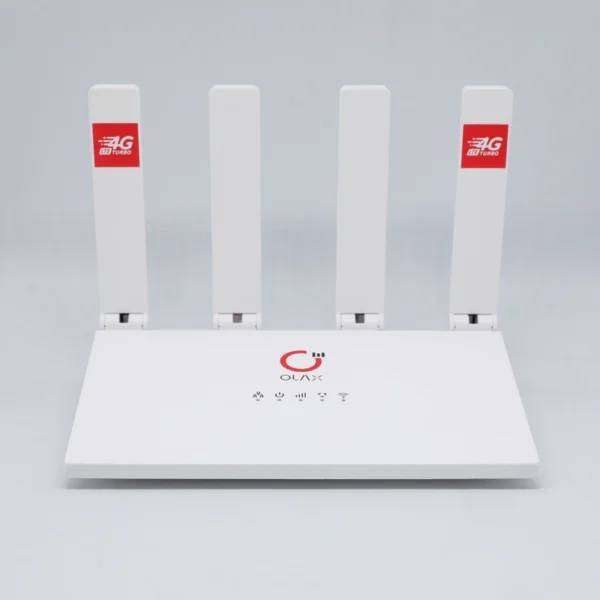
OLAX MC50 Pro 4G LTE CPE Wi-Fi Router
৳6670
৳5450
18% OFF
Corporate & Bulk Orders
Need a custom quote? Contact our Sales Team on WhatsApp for exclusive pricing and quick responses.
WhatsApp UsCategory: Consumer Electronics
The OLAX MC50 Pro is a portable 4G LTE CPE Wi-Fi router that connects through a Standard SIM/USIM or an RJ45 Ethernet cable. Its CAT4 mobile connection, IEEE 802.11 b/g/n Wi-Fi, support for up to 10 simultaneous users, and built-in battery backup make it a practical option for home, office, vehicle, and temporary work setups.
Key Takeaways
- Two connection paths: Use CAT4 4G LTE or RJ45 Ethernet input.
- Shared access: Connect up to 10 simultaneous users over Wi-Fi.
- Band support: LTE B1/B3/B5/B8/B20/B38/B40/B41 and WCDMA B1/B5/B8.
- Flexible power: Runs from DC 12V or Type-C 5V.
- Network protection: WPA2-PSK and WPA-PSK wireless encryption.
What Is the OLAX MC50 Pro?
The OLAX MC50 Pro is a wireless router designed to distribute an available mobile-network or wired internet connection over Wi-Fi. It operates as a 4G LTE CAT4 + RJ45 Ethernet device, so shoppers can choose the connection method that suits the location and available service.
At Adatun, we recommend checking your mobile operator’s supported frequency bands before purchase, because a compatible card and local signal are essential for cellular access. This model is especially useful where a fixed broadband line is unavailable, temporary, or simply not the preferred source.
Key Features
- CAT4 4G LTE connectivity: Insert a Standard SIM/USIM to use a supported cellular network. The router can also take internet through RJ45 LAN cable connectivity when a wired source is available.
- IEEE 802.11 b/g/n Wi-Fi: The wireless standard supports everyday connected tasks across up to 10 simultaneous users. Connection speed and coverage can still vary with signal conditions, placement, devices, and the mobile plan.
- Supported mobile bands: LTE B1/B3/B5/B8/B20/B38/B40/B41 and WCDMA B1/B5/B8 provide a clearly defined compatibility list for checking against an operator’s published network bands.
- Wireless network encryption: WPA2-PSK and WPA-PSK security protocols help you protect access to the local wireless network by setting a strong password in the management interface.
- Built-in backup support: The built-in battery supports continued connectivity during a power interruption. Battery duration is not specified, so it should be treated as backup support rather than a stated runtime figure.
- Visible status information: Signal, Power, LAN, SIM, WiFi, and Status LED indicators provide a quick way to see the router’s operating state without opening the dashboard.
Specifications
Brand and modelOLAX MC50 ProNetwork type4G LTE CAT4 + RJ45 EthernetWi-Fi standardIEEE 802.11 b/g/nCard supportStandard SIM/USIMMaximum connected devicesUp to 10 simultaneous usersLTE bandsB1/B3/B5/B8/B20/B38/B40/B41WCDMA bandsB1/B5/B8SecurityWPA2-PSK, WPA-PSKPortsRJ45 LAN port, power portPower inputDC 12V or Type-C 5VAntenna supportInternal and external antenna supportFirmware functionsTR069, FOTA, Local Upgrade, SMS, IPv4/IPv6Usage modesCPE Mode / Wi-Fi Router Mode / Mobile Network Gateway Mode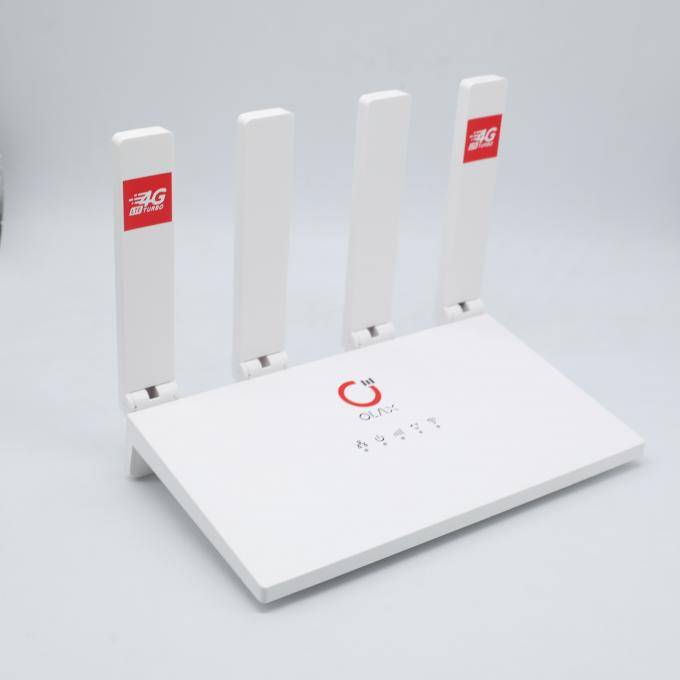
Who Should Choose This Router?
The MC50 Pro suits households that want to share one supported mobile connection among phones, laptops, tablets, or other everyday Wi-Fi devices. The up-to-10-user limit makes the device better aligned with a small group than a high-density workplace full of continuously active users.
It also fits small offices, pop-up counters, project sites, and remote work locations that need a portable network option. The RJ45 port offers an alternative when a cable connection is available, reducing the need to rely on only one access method.
Use Case: Home or Small Office Backup
Choose CPE Mode or Wi-Fi Router Mode according to the intended setup, then connect devices through the wireless network. The LED indicators can help identify whether power, network signal, the card, Wi-Fi, or LAN is active before troubleshooting from the web dashboard.
For a mobile connection, verify that the operator supports one of the listed LTE or WCDMA bands in your area. The router cannot improve weak local coverage, and the available data allowance and network conditions remain important limits on real-world use.
Use Case: Travel, Vehicles, and Temporary Workspaces
The compact, portable format is useful when internet access needs to move with the setup. The DC 12V or Type-C 5V power options allow the unit to be matched with the available power source, while battery backup support adds continuity when mains power is interrupted.
External antenna support may be valuable in installations where antenna placement matters. An antenna is not stated as included, so buyers who need an external solution should confirm their preferred accessory and connector requirements separately.
Setup and Network Management
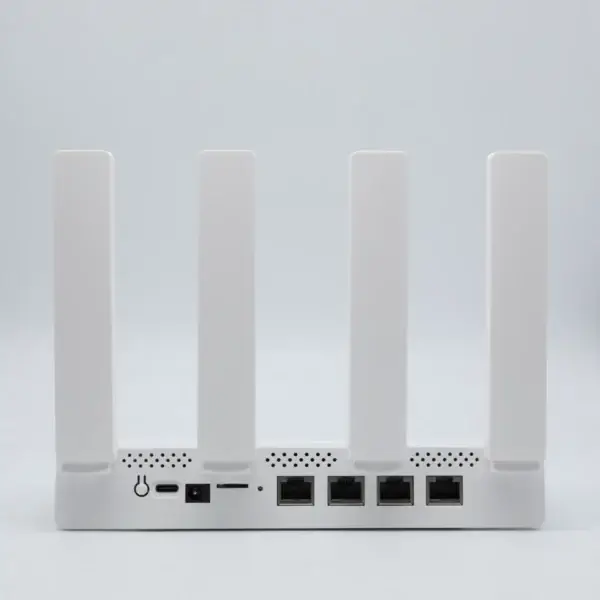
Start by selecting the intended input: a compatible Standard SIM/USIM for cellular service or an RJ45 cable for wired connectivity. Power the router through DC 12V or Type-C 5V, then use the web dashboard to configure the network and view available SMS and network information.
The management functions include TR069, FOTA, Local Upgrade, SMS, and IPv4/IPv6. These labels describe supported firmware functions; service availability, update behaviour, and operator-specific settings can depend on the network and the configuration provided by the user.
Useful Security Habits
Set a unique wireless password rather than leaving a default credential in place. WPA2-PSK and WPA-PSK encryption are available for the local network, and limiting access to the people who need it can help keep the shared connection manageable.
For a more reliable placement, keep the router where mobile signal is usable and avoid enclosing it behind dense obstructions. Signal LEDs provide an immediate reference point, while the dashboard gives a more detailed route for checking network status and messages.
What Is Included
- OLAX MC50 Pro 4G LTE CPE Wi-Fi Router
- Built-in battery backup support
- RJ45 LAN port and power port on the router
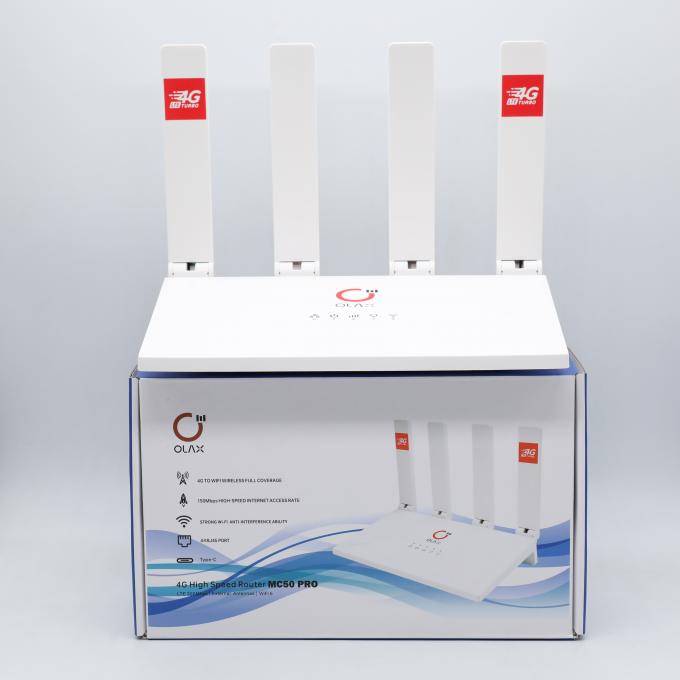
The supplied product details do not list additional box contents, cable types, or an external antenna. Buyers who require a particular power cable, antenna, or mobile subscription should confirm those separately before planning an installation.
Choosing With Confidence
The strongest reason to choose the OLAX MC50 Pro is its clear mix of mobile and wired input options in one compact router. It is a sensible match for a small shared network when the stated LTE bands, device limit, Wi-Fi standard, and power options fit the intended environment.
Before ordering, compare your operator’s bands with LTE B1/B3/B5/B8/B20/B38/B40/B41, consider the number of active devices, and decide whether internal or external antenna support is needed. Those practical checks are more useful than assuming every location or provider will perform the same way.
- CAT4 4G LTE and RJ45 Ethernet connectivity
- IEEE 802.11 b/g/n Wi-Fi for up to 10 users
- LTE B1/B3/B5/B8/B20/B38/B40/B41 support
- WPA2-PSK and WPA-PSK wireless encryption
- Built-in battery backup support
- DC 12V or Type-C 5V power input
- Internal and external antenna support
| Model | OLAX MC50 Pro |
|---|---|
| Network Type | 4G LTE CAT4 + RJ45 Ethernet |
| Wi-Fi Standard | IEEE 802.11 b/g/n |
| SIM Card Support | Standard SIM/USIM |
| Max Connected Devices | Up to 10 simultaneous users |
| LTE Bands | B1/B3/B5/B8/B20/B38/B40/B41 |
| WCDMA Bands | B1/B5/B8 |
| Security Protocols | WPA2-PSK, WPA-PSK |
| Power Options | DC 12V or Type-C 5V |
| Usage Modes | CPE Mode / Wi-Fi Router Mode / Mobile Network Gateway Mode |
- Full refund available
We accept returns for eligible items within 2 days from the date of delivery. To be eligible for a return, the item must be unused, in its original packaging, and in the same condition as when you received it. Items that are non-returnable include [list any specific non-returnable items such as perishable goods, intimate items, etc.]
At adatun.com, we are committed to protecting your privacy and ensuring the security of your personal information. This Privacy Policy outlines how we collect, use, disclose, and protect the information you provide to us. By using our website, you consent to the practices described herein.
- The OLAX MC50 Pro supports 2 input approaches: a Standard SIM/USIM for 4G LTE CAT4 service and RJ45 Ethernet for a wired connection. Buyers can select the option that matches the available service at home, in an office, vehicle, or temporary workspace. Mobile performance depends on operator coverage, plan availability, and supported bands.
- The OLAX MC50 Pro supports up to 10 simultaneous users through its IEEE 802.11 b/g/n Wi-Fi network. Actual experience depends on what connected devices are doing, mobile signal conditions, the available data service, and whether the router is using cellular or RJ45 Ethernet as its internet source.
- The OLAX MC50 Pro lists LTE B1/B3/B5/B8/B20/B38/B40/B41 and WCDMA B1/B5/B8 support. Buyers should compare those bands with the published bands used by their chosen mobile operator in the intended area. A matching band list does not replace checking local coverage and account eligibility.
- The OLAX MC50 Pro includes built-in battery backup support, which is intended to help maintain connectivity during a power interruption. The supplied specifications do not state a battery capacity or runtime, so shoppers should not expect a specific number of backup hours. DC 12V and Type-C 5V are listed power options.
- The OLAX MC50 Pro supports both internal and external antennas, giving users an option for installations where antenna placement matters. The supplied details do not identify an external antenna as included or specify its connector type. Buyers planning an antenna-based installation should confirm accessory compatibility before purchase.
- The OLAX MC50 Pro provides WPA2-PSK and WPA-PSK wireless network encryption for its local Wi-Fi connection. A strong, unique network password is still important because encryption settings work alongside responsible account and access management. The web dashboard is the stated interface for configuration, SMS access, and network monitoring.
Reviewed by Adatun Team