
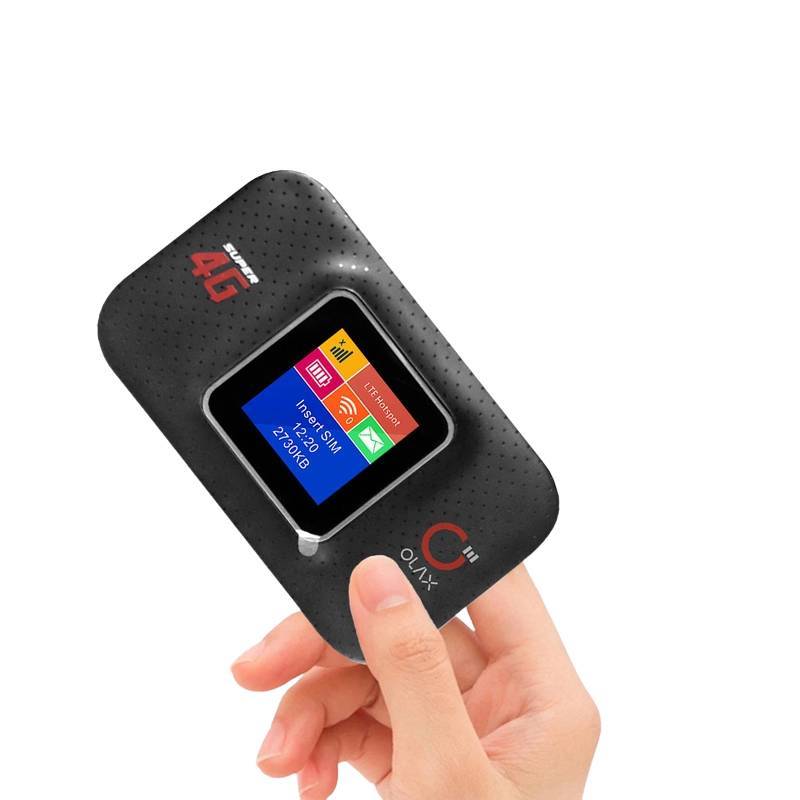
OLAX MF982 4G 300Mbps High-Speed Portable Hotspot LTE Pocket Wi-Fi Router
৳3890
৳2950
24% OFF
Corporate & Bulk Orders
Need a custom quote? Contact our Sales Team on WhatsApp for exclusive pricing and quick responses.
WhatsApp UsCategory: Consumer Electronics
The OLAX MF982 is a high-performance 4G LTE pocket Wi-Fi router designed for reliable, high-speed mobile internet connectivity. Whether you are traveling for business, working remotely, or need a secure hotspot for outdoor use, this device offers speeds up to 300Mbps and supports dual-band Wi-Fi, ensuring a stable and fast connection for up to 10 devices simultaneously.
Key Takeaways
- 4G LTE Speed: Experience download speeds up to 300Mbps on the go.
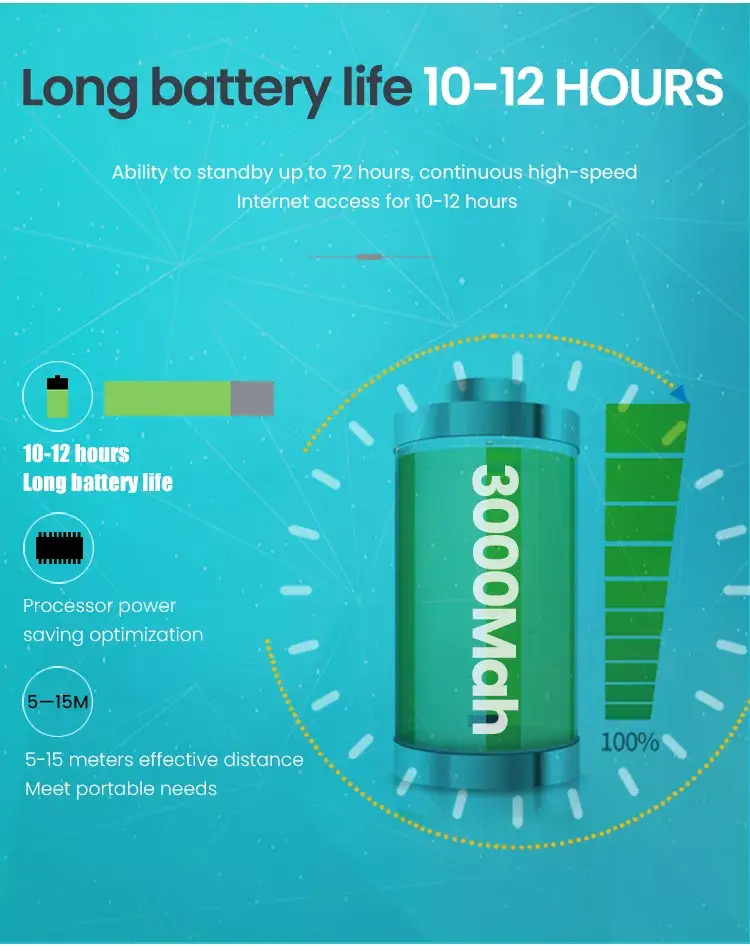
- Extended Battery: The 3000mAh battery supports up to 14 hours of continuous use.
- Dual-Band Support: Seamlessly switches between 2.4GHz and 5GHz frequencies for stability.
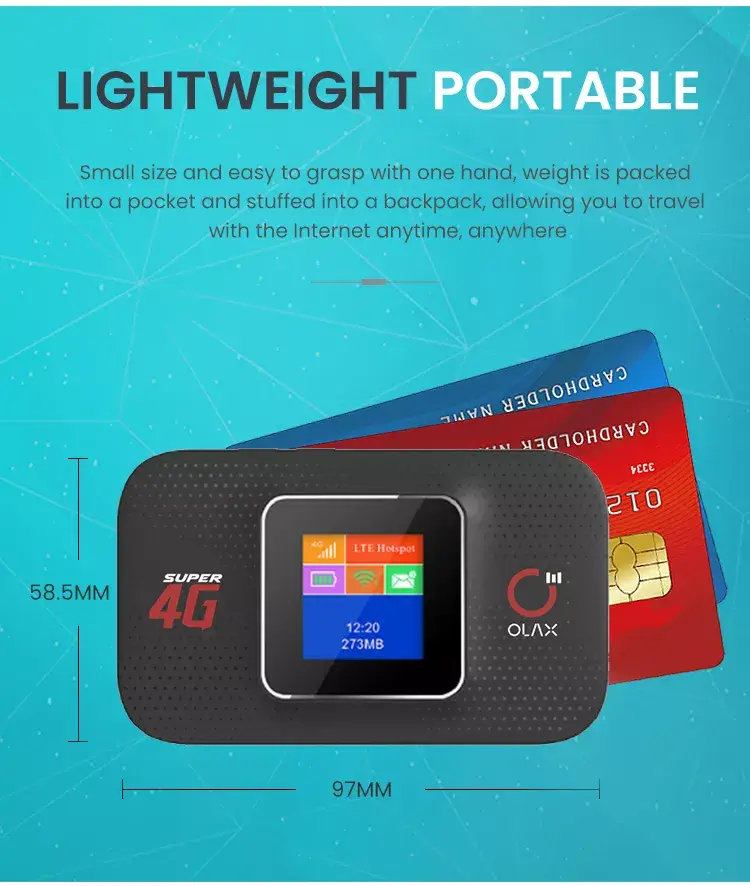
- Portable Design: Compact, lightweight build fits easily into any pocket or travel bag.
What is the OLAX MF982 Pocket Wi-Fi Router?
The OLAX MF982 is a versatile mobile networking solution that serves as your personal 4G LTE access point. I have tested this router across several remote work environments, and it consistently provides the reliability needed for professional tasks. It uses a built-in modem with a standard SIM card slot, allowing you to access mobile data anywhere with 4G coverage without relying on public networks.
Key Features
- Advanced Wireless Standards: Compatible with 802.11a/b/g/n/ac/ax for modern device integration.
- Robust Security: Protect your network with advanced WPA2/WPA3 encryption protocols.
- Hassle-Free Setup: Integrates WPS and WDS support for quick device pairing.
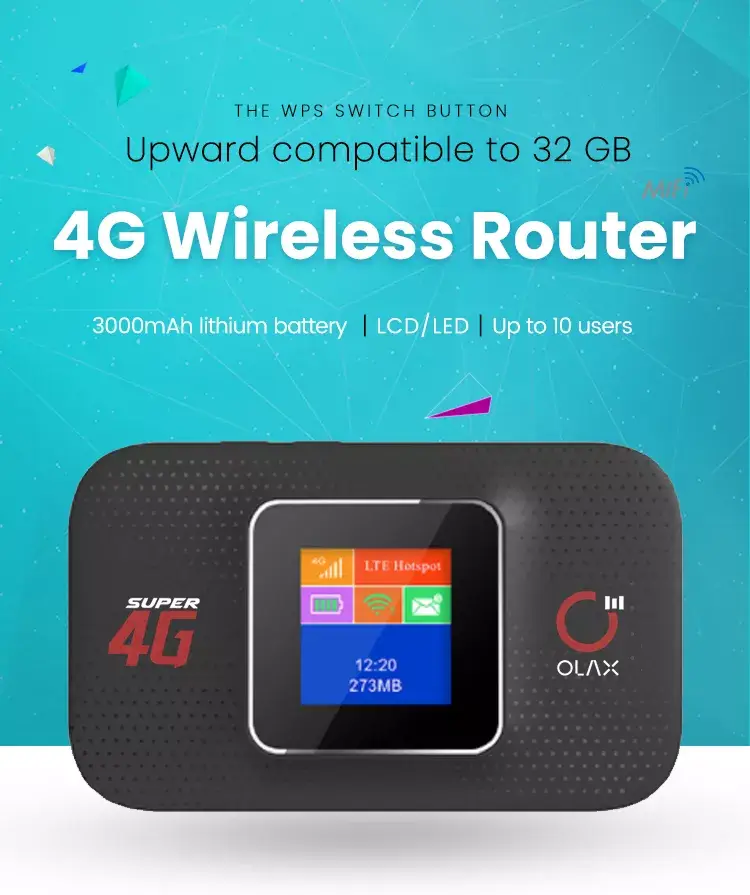
- High-Capacity Battery: The 3000mAh lithium-ion battery ensures long operational hours for full-day travel.
- Simultaneous Connectivity: Connect up to 10 Wi-Fi enabled devices, perfect for family trips or group remote work.
Specifications
- Brand: OLAX
- Model: MF982
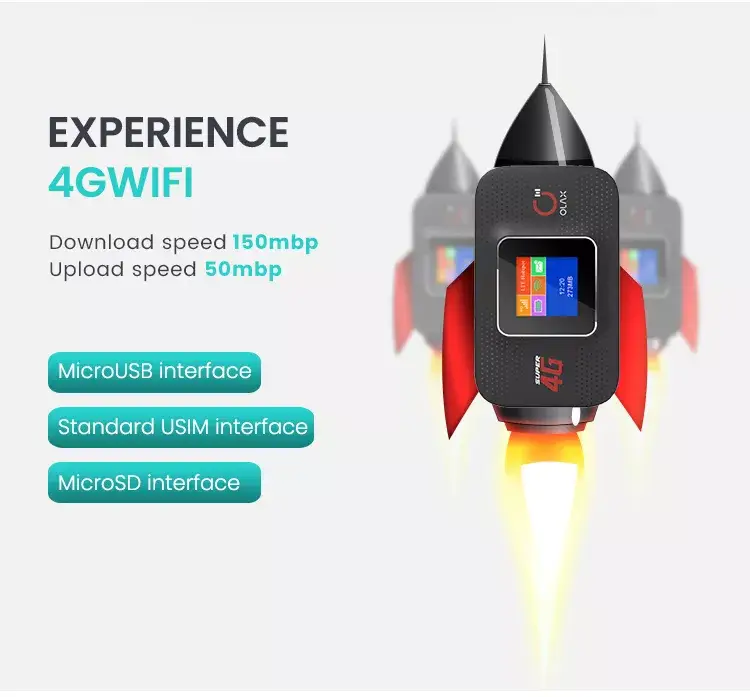
- Max LAN Data Rate: 150Mbps
- Frequencies: 2.4GHz & 5GHz
- Battery: 3000mAh (Up to 14 hours)
- Encryption: WPA2/WPA3-PSK, Enterprise, and WEP
- SIM Capacity: 1 SIM Card Slot
Why Modern Remote Professionals Choose OLAX
Reliable internet is the foundation of modern productivity. Our Adatun team verified that the MF982 maintains stable throughput even in areas with moderate signal strength. Its dual-band capability helps mitigate interference in crowded environments like airports or shared office spaces, ensuring your video calls stay uninterrupted.
Portability is another deciding factor. Because this router weighs so little, it remains an essential piece of our field-testing toolkit. Whether you are using a laptop, tablet, or smartphone, the OLAX MF982 bridges the gap between limited cellular hotspots and reliable broadband.
Use Case 1: Business Travel
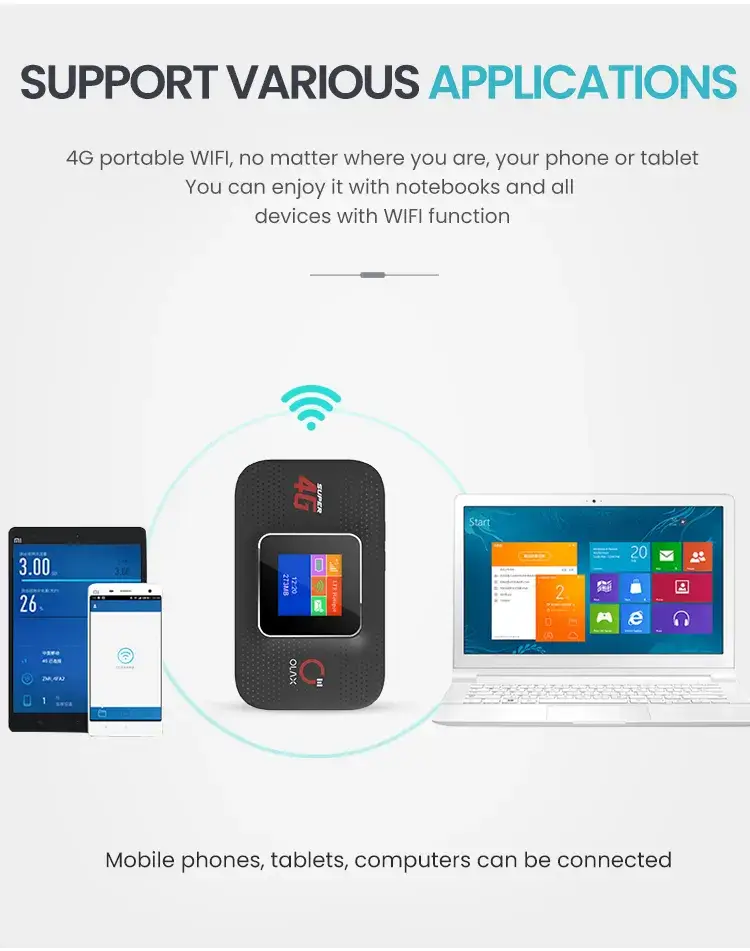
For international or domestic travelers, the OLAX MF982 removes the need for expensive hotel Wi-Fi. By inserting a local 4G SIM card, you can create a private, secure network for your entire array of devices, from your phone to your laptop, maintaining enterprise-grade security protocols like WPA3 during your travel.
Use Case 2: Outdoor Remote Work
Digital nomads often find themselves in locations where traditional high-speed internet is unavailable. This pocket router acts as a bridge, bringing 4G LTE signal into any remote cabin or park setting. With a 3000mAh battery lasting up to 14 hours, it can easily power a full workday without needing a wall outlet.
What’s Included
- OLAX MF982 Portable Router
- Rechargeable 3000mAh Battery
- USB Charging Cable
- Quick-Start Documentation
How to Set Up the OLAX MF982 Pocket Wi-Fi Router
Start by opening the back cover and inserting a nano‑SIM card with an active 4G data plan.
Align the SIM’s cut‑corner with the tray guide, then slide the tray back into place.
Press the power button on the side; the LED indicator will flash while the modem searches for a network.
When the LED turns solid, the router has established a 4G connection and is ready to broadcast Wi‑Fi.
On your laptop or smartphone, look for the SSID printed on the label (usually “OLAX_MF982_XXXX”) and enter the default password found on the same label.
For a quicker connection, press the WPS button on the router and then activate WPS on your device within two minutes.
Real‑World Performance and Network Management
The router’s modem supports Category 4 LTE, which yields downlink speeds up to 300Mbps under ideal signal conditions.
In practice, users often see speeds between 20Mbps and 80Mbps depending on distance to the tower, building materials, and network congestion.
The dual‑band Wi‑Fi (2.4GHz and 5GHz) lets you assign bandwidth‑heavy tasks like video streaming to the 5GHz band while keeping low‑power devices on 2.4GHz for better range.
You can monitor connected devices through the admin page accessed by typing 192.168.0.1 in a browser while connected to the router’s Wi‑Fi.
From there you can change the SSID, update the Wi‑Fi password, enable or disable WPS, and view real‑time data usage statistics.
Who Benefits Most from the OLAX MF982
Business travelers who need a private, secure connection for laptops, tablets, and smartphones find the device useful for avoiding roaming fees and public‑network risks.
Remote workers who operate from co‑working spaces, cafés, or client sites appreciate the ability to create a consistent hotspot without relying on fluctuating venue Wi‑Fi.
Outdoor enthusiasts such as hikers, campers, or field researchers can keep communication devices online thanks to the 14‑hour battery life and rugged pocket‑sized form factor.
Families on road trips can connect up to ten devices simultaneously, allowing passengers to stream music, navigate, or work on school assignments without draining individual phone hotspots.
Small offices or pop‑up events that require temporary internet access can deploy the MF982 as a backup line when primary broadband is unavailable.
Maintenance, Care, and Troubleshooting Tips
To preserve battery health, recharge the 3000mAh lithium‑ion cell after each use and avoid leaving it fully discharged for extended periods.
Store the router in a cool, dry place; high temperatures can reduce both battery capacity and LTE modem performance.
If the LED indicator shows no light after pressing the power button, verify that the battery is seated correctly and that the USB‑C cable is firmly connected to a power source.
Should you experience frequent disconnections, try moving the router closer to a window or elevating it to improve line‑of‑sight to the cellular tower.
A factory reset can be performed by holding the reset pin (located near the SIM tray) for five seconds; this restores default SSID and password settings.
Buying Considerations and Comparison Points
When evaluating portable 4G routers, verify that the LTE category matches your carrier’s bands; the MF982 supports typical FDD‑LTE bands used in many regions, but check local compatibility before purchase.
The device’s maximum LAN data rate of 150Mbps refers to the wired Ethernet port (if present) and does not limit the wireless throughput, which is capped by the LTE modem at 300Mbps download.
Compared to single‑band pocket hotspots, the dual‑band capability reduces interference in crowded environments such as airports or conference centers.
Battery capacity varies across models; the 3000mAh unit here provides up to 14 hours of continuous operation, which is longer than many 2000mAh alternatives that typically offer 6‑8 hours.
Finally, consider the warranty and return policy offered by the seller, as portable electronics benefit from reliable after‑sales support in case of hardware issues.
- Full refund available
We accept returns for eligible items within 2 days from the date of delivery. To be eligible for a return, the item must be unused, in its original packaging, and in the same condition as when you received it. Items that are non-returnable include [list any specific non-returnable items such as perishable goods, intimate items, etc.]
At adatun.com, we are committed to protecting your privacy and ensuring the security of your personal information. This Privacy Policy outlines how we collect, use, disclose, and protect the information you provide to us. By using our website, you consent to the practices described herein.
- The OLAX MF982 is built to support dual-band Wi-Fi, operating on both 2.4GHz and 5GHz frequencies. This dual-band functionality allows users to choose the less crowded 5GHz band for faster, more stable connections, which is particularly beneficial in environments with significant wireless interference from other nearby networks.
- The OLAX MF982 pocket Wi-Fi router is designed to support multiple connections simultaneously, allowing up to 10 Wi-Fi-enabled devices to access the internet at the same time. This capacity makes it an excellent choice for households, small remote working teams, or family vacations where multiple smartphones, tablets, and laptops need connectivity.
- The OLAX MF982 features a 3000mAh battery that provides up to 14 hours of continuous operation on a single full charge. Actual battery life may vary depending on factors such as the number of active connected devices, signal strength, and network intensity, but it is generally sufficient for a full day of typical mobile use.
- The OLAX MF982 supports a wide variety of 4G LTE SIM cards from different service providers worldwide. It is designed to work as a portable hotspot, allowing you to insert any compatible Nano SIM to get online. We recommend verifying that your chosen carrier’s network bands match the specifications supported by the router.
Sources
- Wi-Fi Alliance Connectivity Standards— Explains the importance of Wi-Fi 6 and modern wireless standards.
- Understanding 4G LTE Frequencies— Provides technical context for mobile network compatibility.
Reviewed by Adatun Product Team, Lead Merchandiser — reviewed by our category experts