
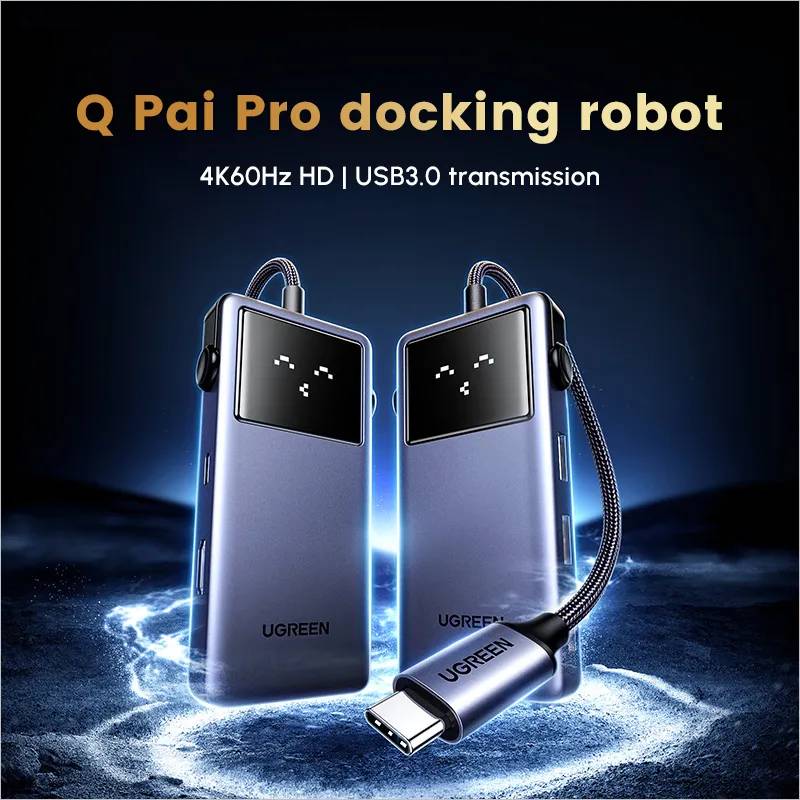
UGREEN QPai Pro 5-in-1 USB-C Hub with 4K@60Hz HDMI 100W PD and 3 USB 3.0 Ports (45154)
৳4870
৳3690
24% OFF
Corporate & Bulk Orders
Need a custom quote? Contact our Sales Team on WhatsApp for exclusive pricing and quick responses.
WhatsApp UsCategory: Office and computer
The UGREEN QPai Pro 5-in-1 USB-C Hub is an essential connectivity solution designed to expand your laptop or tablet with high-speed data transfer, 100W Power Delivery, and seamless 4K@60Hz video output. Perfect for professionals and students alike, this compact device simplifies complex cable management, turning a single USB-C port into a powerful workstation hub without requiring external drivers.
Key Takeaways
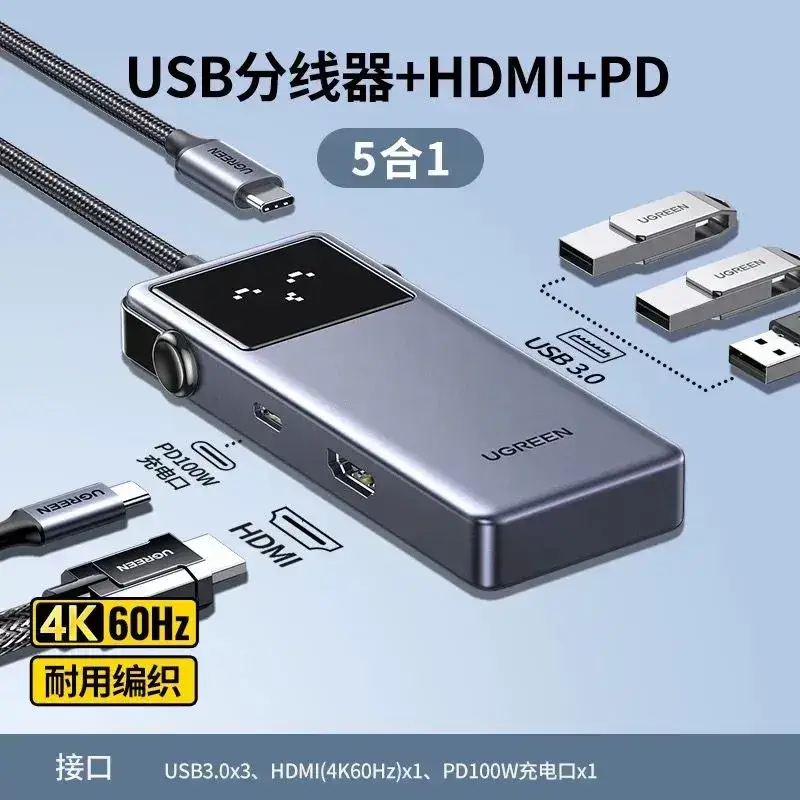
- Versatile Connectivity: Includes 1 HDMI, 1 USB-C PD 100W, and 3 USB 3.0 ports.
- High-Resolution Video: Supports smooth 4K@60Hz output for sharp, clear displays.
- Rapid Charging: Delivers up to 100W Power Delivery for efficient laptop charging.
- Plug & Play: Compatible with Windows, macOS, and Linux without software installation.
What is the UGREEN QPai Pro 5-in-1 Hub?
The UGREEN QPai Pro 5-in-1 USB-C Hub (model 45154) is a premium, aluminum-alloy interface adapter built for modern computing environments. As hardware manufacturers continue to reduce onboard ports, this hub bridges the gap, allowing users to connect peripherals, external displays, and power sources simultaneously. Its compact, pocket-sized design makes it a reliable travel companion for on-the-go professionals.
Key Features
- Ultra HD 4K@60Hz HDMI Output: Connect to monitors or projectors with fluid, flicker-free visuals, ensuring high-quality presentations and immersive streaming experiences.
- 100W PD Fast Charging: Keep your laptop powered during intensive tasks by routing power through the hub, supporting full-speed charging for high-demand devices.
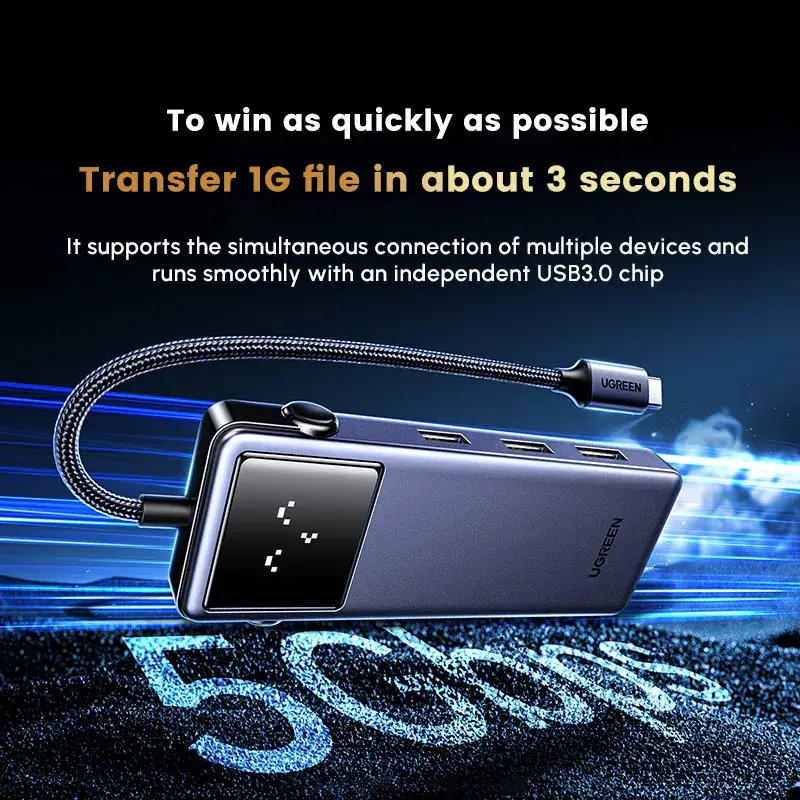
- High-Speed 5Gbps Data Transfer: The 3 integrated USB 3.0 ports provide lightning-fast transfer rates, allowing you to move large files or connect accessories like keyboards and mice instantly.
- Wide System Compatibility: Designed for seamless integration, it supports MacBook Pro, MacBook Air, iPad Pro, Surface, and various Windows laptops without additional driver setups.
- Durable Aluminum Build: Constructed from premium aluminum alloy and ABS, this hub efficiently dissipates heat while resisting daily wear and tear for long-term use.
Specifications
- Brand: UGREEN
- Model: 45154 (CM888)
- HDMI Output: 1x 4K@60Hz
- USB Ports: 3x USB 3.0 (up to 5Gbps)
- Charging: 1x USB-C PD (Up to 100W)
- Material: Aluminum Alloy + ABS
- Cable Length: 15 cm
- Compatibility: Windows, macOS, Linux
Who This Hub Is For
The UGREEN QPai Pro serves a broad range of users who need reliable port expansion without sacrificing performance. Remote workers and digital nomads benefit from its lightweight 15 cm cable that tucks into any laptop sleeve, while creative professionals editing 4K video or designing in Adobe Creative Cloud appreciate the stable 60 Hz refresh rate that prevents timeline stutter. Students moving between dorm rooms, libraries, and lecture halls gain a single-cable setup for external monitors, flash drives, and charging. IT administrators deploying standardized docks across mixed fleets — MacBook Pro 14-inch and 16-inch (M1/M2/M3), MacBook Air M2/M3, Dell XPS 13/15, Lenovo ThinkPad X1 Carbon, HP Spectre x360, and iPad Pro 11-inch/12.9-inch (USB-C models) — value the driver-free deployment across Windows 10/11, macOS 12+, and Linux kernel 5.10+.
How to Set Up and Use
Connect the hub's integrated USB-C plug directly into your host device's USB-C or Thunderbolt 3/4 port that supports DisplayPort Alt Mode and Power Delivery. The hub draws bus power for its own operation; attach your laptop's USB-C charger (65 W, 96 W, or 100 W GaN adapter recommended) to the hub's PD port to enable pass-through charging up to 100 W. For video, plug an HDMI 2.0b-certified cable into the hub's HDMI port and select the external display in your OS display settings — macOS users open System Settings > Displays, Windows users press Win+P. The three USB 3.0 Type-A ports enumerate immediately for flash drives, external SSDs, keyboards, mice, or USB audio interfaces. No firmware utility or companion app is required; the hub presents as a standard USB Billboard Device and DisplayPort MST hub.
Care and Maintenance
Keep the aluminum housing free of dust by wiping with a dry microfiber cloth; avoid liquid cleaners that could seep into the HDMI or USB-A ports. When transporting, coil the 15 cm tether loosely — sharp bends near the strain relief can fatigue the internal conductors over time. If the hub feels warm during sustained 100 W pass-through charging, ensure the top and bottom surfaces have airflow; the aluminum chassis acts as a heatsink and performs best when not insulated by a laptop sleeve or stacked paperwork. Periodically inspect the HDMI port for bent pins and the USB-A ports for debris; compressed air at 60-80 PSI clears lint without damaging contacts. Store in the original anti-static bag or a padded tech pouch when not in use.
Why Choose This UGREEN Hub
The UGREEN QPai Pro is ideal for users who demand both performance and portability. Whether you are managing a dual-monitor setup or simply need a reliable way to connect flash drives and chargers while traveling, this hub delivers consistent speed and stability. Its lightweight profile ensures it fits into any laptop bag or pocket.
Built by Adatun Team to meet the high standards of our tech enthusiasts, this hub addresses common connectivity frustrations. By centralizing your external devices into one 15 cm cable connection, you significantly reduce desk clutter and improve overall efficiency during your workday.
Use Case: Office Productivity
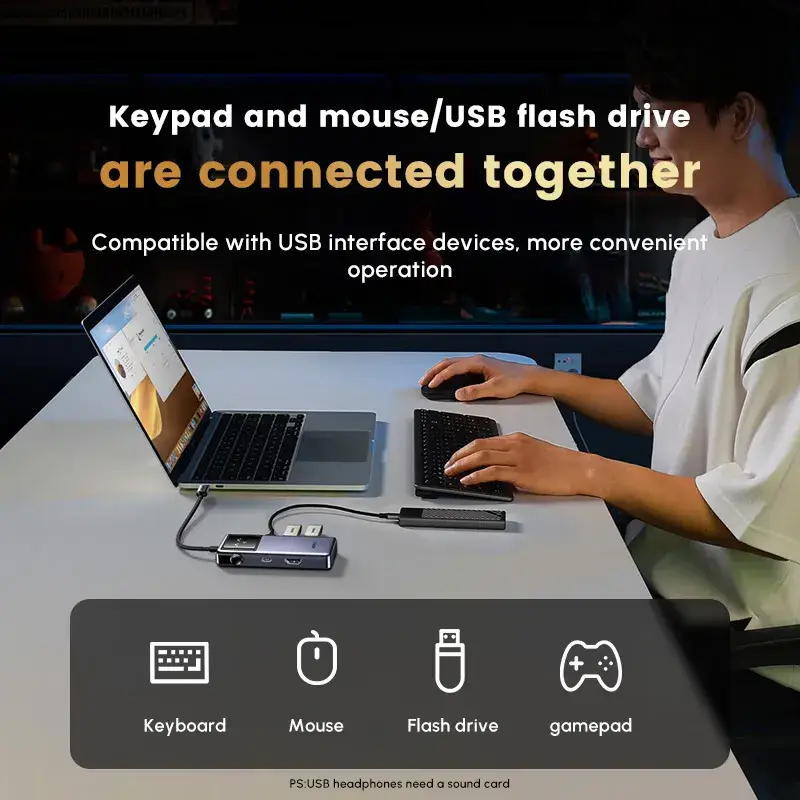
Transform your minimal laptop into a fully equipped desktop. Connect a mouse, keyboard, and external monitor while keeping your laptop charged, all through one single hub.
Use Case: Travel and Remote Work
Working from a hotel or a cafe? The compact design and sturdy build ensure you can set up a stable, high-performance office anywhere, anytime, without worrying about connectivity limitations.
Use Case: Creative Content Production
Video editors and motion designers can drive a 4K 60 Hz reference monitor via HDMI while ingesting footage from a USB 3.0 NVMe enclosure at up to 5 Gbps, all while the laptop charges at 85-100 W — eliminating the battery anxiety that interrupts long render sessions.
Use Case: Classroom and Lecture Hall Presentations
Plug into a projector or classroom display via HDMI, advance slides with a USB clicker, and keep the laptop powered from a wall outlet — no hunting for dongles or draining battery mid-lecture.
Buying Guidance and Comparison
When evaluating 5-in-1 USB-C hubs, verify three specs: HDMI version (2.0b for 4K60 vs 1.4 for 4K30), PD wattage (100 W pass-through vs 60 W or 87 W), and USB protocol (USB 3.0 5 Gbps vs USB 2.0 480 Mbps). The QPai Pro 45154 hits all three high marks. Competing hubs in the same price tier often sacrifice one — typically capping HDMI at 4K30 or limiting PD to 60 W, which throttles charging on 16-inch MacBook Pro or gaming ultrabooks. If you need SD/microSD slots or a second video output (DisplayPort or second HDMI), step up to a 7-in-1 or 9-in-1 model; however, those add bulk and often split bandwidth across two video streams. For single-monitor workflows with full-speed charging and three legacy USB-A peripherals, this 5-in-1 configuration remains the sweet spot of capability per gram.
What's Included
- UGREEN QPai Pro 5-in-1 USB-C Hub
- User Manual
- Full refund available
We accept returns for eligible items within 2 days from the date of delivery. To be eligible for a return, the item must be unused, in its original packaging, and in the same condition as when you received it. Items that are non-returnable include [list any specific non-returnable items such as perishable goods, intimate items, etc.]
At adatun.com, we are committed to protecting your privacy and ensuring the security of your personal information. This Privacy Policy outlines how we collect, use, disclose, and protect the information you provide to us. By using our website, you consent to the practices described herein.
- The UGREEN QPai Pro 5-in-1 USB-C Hub is fully compatible with Windows, macOS, and Linux operating systems. It features a plug-and-play design, meaning no drivers or extra software are required to establish a connection with your laptop. Simply plug it into a compatible USB-C port, and it will immediately recognize your connected peripherals, monitor, and charging cables.
- Yes, the HDMI port on the UGREEN QPai Pro USB-C Hub supports Ultra HD 4K resolution at a 60Hz refresh rate. This high-frequency output ensures smooth visuals and crisp motion, making it an excellent choice for high-definition streaming, professional graphic presentations, or dual-monitor configurations that require responsive and fluid display performance without any lag.
- The UGREEN QPai Pro hub supports up to 100W Power Delivery, allowing you to charge your laptop efficiently even while using the other ports. By connecting your laptop's power adapter to the USB-C PD port on the hub, you can simultaneously pass power to your computer and maintain a stable connection for your HDMI display and USB 3.0 accessories.
- The UGREEN QPai Pro 5-in-1 USB-C Hub is specifically designed for high portability, featuring a compact, pocket-sized form factor and an integrated 15 cm cable. Its lightweight construction, combining a durable aluminum alloy shell and ABS material, ensures it easily fits into any bag or workspace organizer, making it the perfect solution for professionals who need reliable connectivity on the move.
Related in this store
- aluminum laptop stand— Complements the hub by improving ergonomics for laptop users.
- USB-C hub docking station— Offers an alternative multi-port solution for extended connectivity.
- Baseus 4-in-1 USB hub— A lightweight alternative for simpler peripheral connections.
- USB-C docking station— A higher-end docking station for more comprehensive desk setups.
- foldable laptop stand— Necessary accessory for maintaining a portable, stable workspace.
- HDMI 4K splitter— Useful for managing display output alongside the USB-C hub.
Sources
- USB-C Power Delivery standards— Provides authoritative context on 100W PD charging safety and capability.
Reviewed by Adatun Product Team, Lead Merchandiser — reviewed by our category experts