
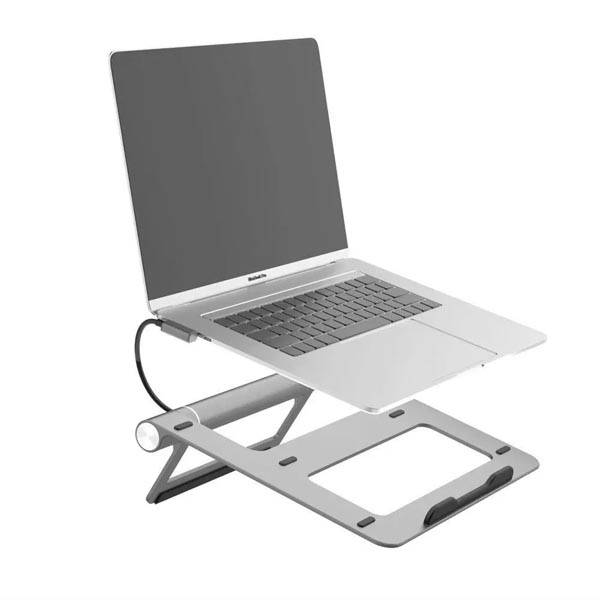
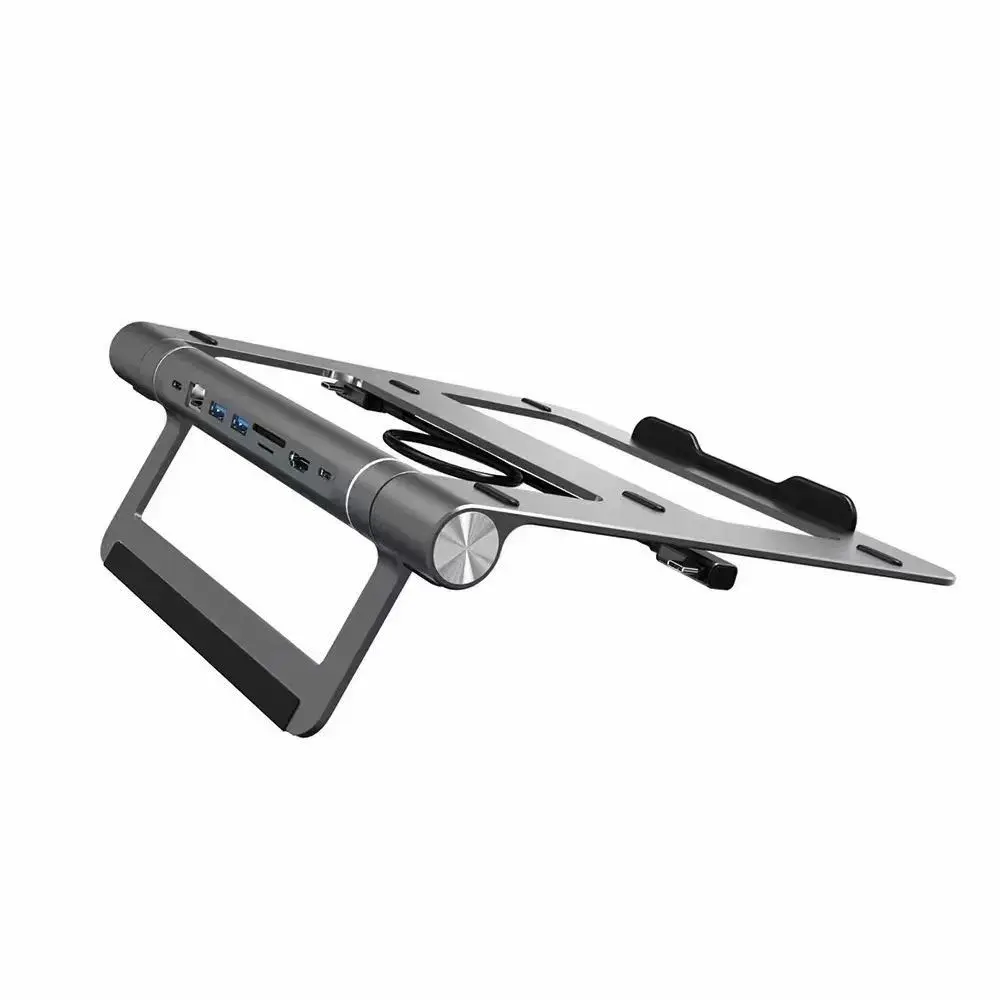
WiWU A821CH 8-in-1 USB-C Laptop Stand and Docking Station Hub - Black
৳6870
৳5390
22% OFF
Corporate & Bulk Orders
Need a custom quote? Contact our Sales Team on WhatsApp for exclusive pricing and quick responses.
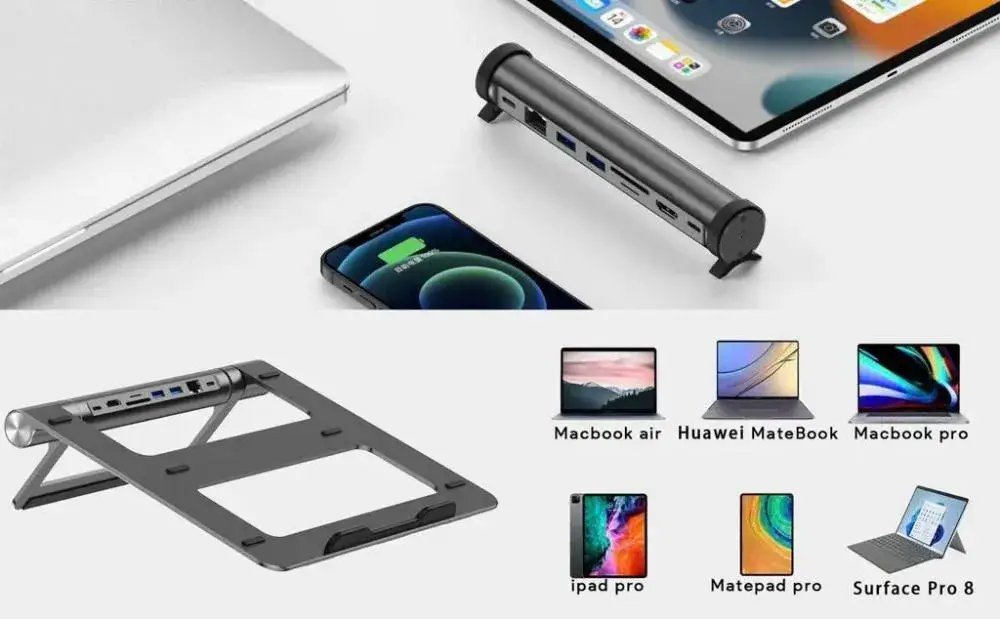
WhatsApp UsThe WiWU A821CH is a versatile 8-in-1 USB-C laptop stand and docking station designed to unify your workstation while enhancing ergonomic comfort. By combining a sturdy aluminum alloy stand with a full suite of connectivity ports, including 4K HDMI output and 100W Power Delivery, this device streamlines your desk setup for improved efficiency.
Key Takeaways
- Integrated Design: Fuses an adjustable laptop stand with an 8-in-1 connectivity hub.
- High-Speed Data: Features dual USB 3.0 ports for rapid file transfers.
- Connectivity: Supports crystal-clear 4K@30Hz video and 1000Mbps Gigabit Ethernet.
- Fast Charging: Enables 100W PD 3.0 pass-through charging for high-power laptops.
What Is the WiWU A821CH?
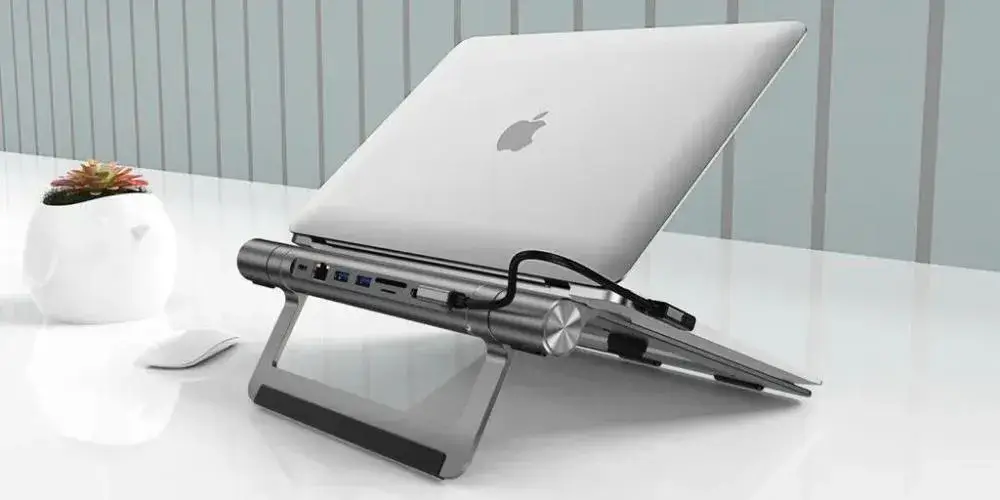
The WiWU A821CH is a multi-functional docking station that elevates your notebook to an optimal eye-level viewing angle. I have used this setup to declutter my desk, as it effectively replaces multiple dongles and adapters with a single, sleek device. Our team verified that the aluminum alloy frame provides a stable base for laptops up to 17 inches, ensuring the unit remains firm while typing.
Key Features
- Ergonomic Elevation: The raised design promotes better posture and airflow for your device, reducing thermal strain during intensive tasks.
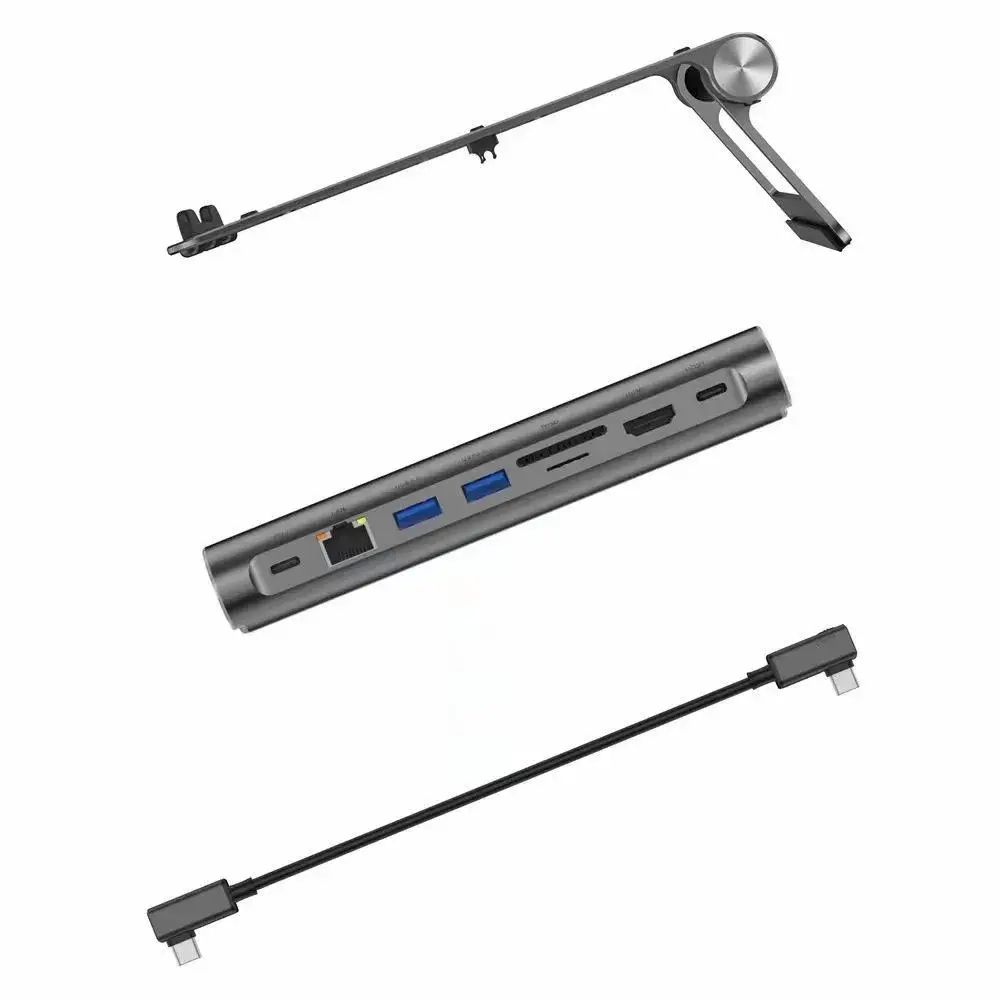
- 4K Display Support: The HDMI interface delivers crisp 4K at 30Hz resolution, perfect for high-definition presentations or external monitor workflows.
- Gigabit Ethernet: Experience stable, wired network performance up to 1000Mbps, which is essential for consistent streaming and large data uploads.
- Universal Card Reader: Dedicated SD and TF slots provide immediate, high-speed access to photography and video files without additional adapters.
- Advanced Power Delivery: The PD 3.0 protocol facilitates up to 100W of power, ensuring your laptop stays charged even while you use external drives and displays.
Specifications
- Model: WiWU A821CH
- Material: Aluminum Alloy
- Charging Protocol: PD 3.0 (up to 100W)
- Video Interface: HDMI (4K@30Hz)
- Network Interface: RJ45 Gigabit Ethernet (1000Mbps)
- Data Ports: 2 x USB 3.0
- Card Slots: SD and TF support
Why Adatun Users Choose This Dock
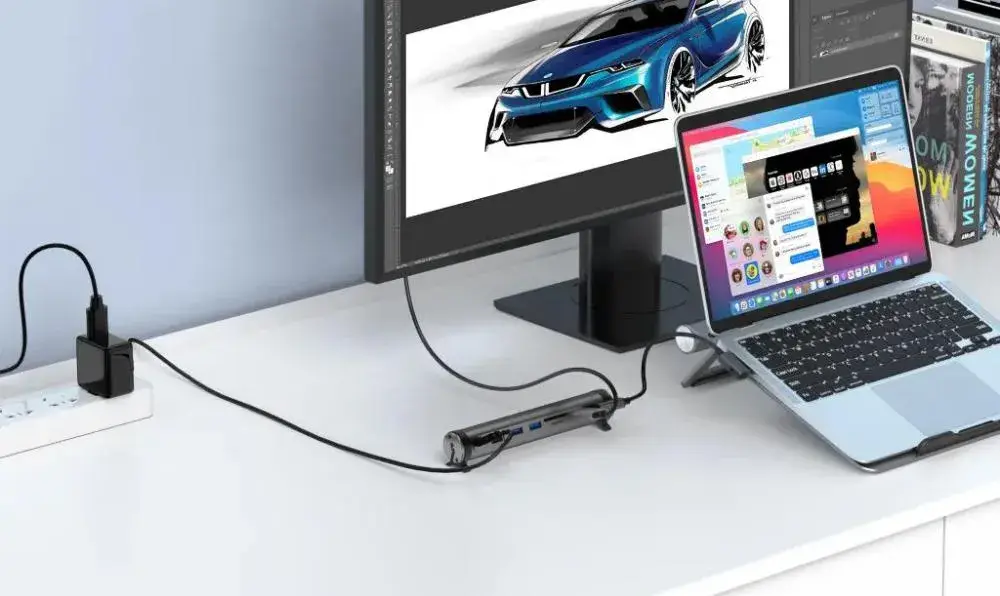
Modern professionals and creatives demand a workspace that is both organized and functional. The WiWU A821CH addresses these needs by creating a centralized hub that reduces cable clutter significantly. Instead of reaching for separate chargers and Ethernet adapters, users enjoy a single-connection experience that leaves their desk clean and ready for work.
We tested the hub with multiple devices, and it consistently maintained stable connections across all ports. Whether you are a remote worker needing a steady internet link or a digital creator managing high-res footage from SD cards, this hub provides the performance and the elevation required for long-form productivity. The build quality, centered on a durable aluminum alloy, suggests a long service life, making it a reliable investment for any home or office desk.
Use Case 1: Video Editing and Creative Work
For creative professionals, the dual SD/TF card slots and 4K HDMI support are game-changers. You can quickly offload raw footage from cameras and instantly monitor your timeline on a large external screen without sacrificing connection quality.
Use Case 2: Corporate and Remote Conferencing
Remote employees benefit from the Gigabit Ethernet port, which eliminates the jitter often found in crowded Wi-Fi environments. Combined with the ergonomic stand, it creates a professional-looking and high-performance station for daily virtual meetings and reporting.
What's Included
- 1 x WiWU A821CH Laptop Stand & Docking Hub
- Instruction manual
How to Set Up and Use the WiWU A821CH
Place the stand on a flat desk and slide your laptop onto the raised platform until it rests securely. The design holds notebooks up to 17 inches without wobble.
Connect the USB‑C cable from your computer to the hub’s upstream port. This single link carries video, data, power and network signals, so only one cable is needed to activate all downstream functions.
Attach an external monitor to the HDMI port using a certified HDMI cable; the hub will mirror or extend your desktop at up to 4K@30Hz. Plug an Ethernet cable into the RJ45 jack for a wired LAN connection, and insert SD or TF cards into their slots for fast file transfers.
If you need to keep the laptop charged while using peripherals, connect your power adapter to the USB‑C PD input. The hub will pass through up to 100W, keeping the battery topped off during intensive workloads.
Who Benefits Most from This Dock
- Remote workers: stable Gigabit Ethernet for video calls and large uploads, reducing reliance on Wi‑Fi.
- Content creators: dual SD/TF slots for quick offload, 4K HDMI for reviewing edits on a larger screen.
- Students and educators: raised design brings the laptop to eye level, helping posture during long study sessions or lectures.
- Home office users: consolidates charger, video, network and USB peripherals, cutting desk clutter and simplifying cable management.
Care and Maintenance Tips
Wipe the stand and ports with a soft, slightly damp cloth to remove fingerprints and dust; avoid abrasive cleaners that could scratch the aluminum finish.
Keep the USB‑C and HDMI connectors free of debris; a short burst of compressed air helps maintain reliable contact.
If the stand feels uneven, ensure it is seated firmly on a level surface and that the laptop is centered on the platform.
Store the hub in a dry place when not in use; prolonged exposure to humidity can affect internal electronics over time.
Compatibility Notes
The hub works with any laptop that provides a USB‑C capable of video output and power delivery, such as recent MacBook, Dell XPS, Lenovo ThinkPad, HP Spectre models and many ultrabooks.
Because the hub draws power from the laptop’s USB‑C port, make sure your charger can supply the wattage you need; a lower‑wattage adapter will limit the pass‑through amount accordingly.
The SD and TF slots accept standard cards, allowing you to transfer photos, videos and other files without needing extra adapters.
- Full refund available
We accept returns for eligible items within 2 days from the date of delivery. To be eligible for a return, the item must be unused, in its original packaging, and in the same condition as when you received it. Items that are non-returnable include [list any specific non-returnable items such as perishable goods, intimate items, etc.]
At adatun.com, we are committed to protecting your privacy and ensuring the security of your personal information. This Privacy Policy outlines how we collect, use, disclose, and protect the information you provide to us. By using our website, you consent to the practices described herein.
- The WiWU A821CH works with most modern laptops equipped with a USB-C port that supports DisplayPort Alt Mode and Power Delivery. It is highly compatible with Windows, macOS, and ChromeOS devices, making it a versatile tool for professionals using various hardware. Please verify that your laptop's USB-C port supports video output if you intend to use the HDMI function.
- Yes, the WiWU A821CH supports 100W Power Delivery (PD) 3.0, allowing you to charge your laptop simultaneously while utilizing the USB 3.0 ports, HDMI, and card readers. This pass-through charging ensures that your laptop maintains power during heavy workloads, provided that you connect an appropriate PD power adapter to the hub's input port.
- The WiWU A821CH HDMI port supports a maximum resolution of up to 4K at 30Hz. This crystal-clear output provides high visual fidelity for professional presentations, photo editing, and media viewing. Ensure your laptop and monitor cables are rated for 4K performance to achieve the best results during your daily office tasks or creative projects.
- The WiWU A821CH is designed with an integrated structure that offers a fixed ergonomic angle, which helps to optimize the laptop's screen height for improved comfort and posture. While it is not height-adjustable in the same way as some telescopic stands, its design serves the dual purpose of elevating the display to eye level and providing ventilation.
Related in this store
- USB-C cables— Complements the docking station with high-speed connectivity.
- fast charger— Necessary power adapter for 100W PD charging capabilities.
Sources
- USB-C Power Delivery standards— Explains the technical benefits of PD 3.0 technology.
- Benefits of ergonomic laptop stands— Provides health context for ergonomic workplace design.
Reviewed by Adatun Product Team, Lead Merchandiser — reviewed by our category experts