
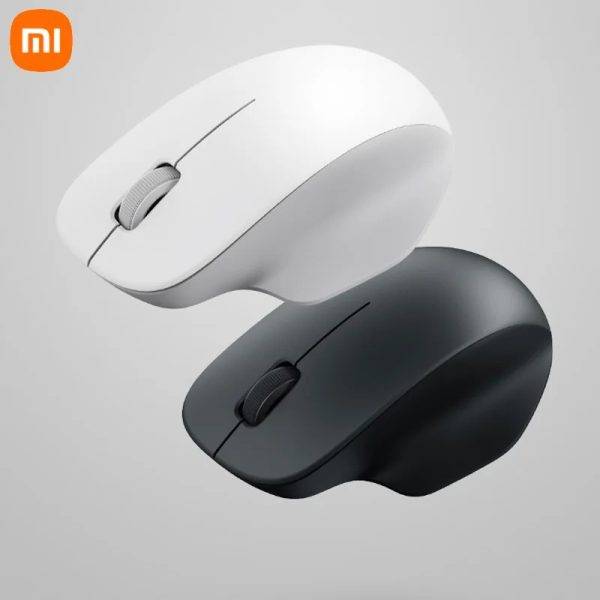
Xiaomi Wireless Mouse Comfort Edition
৳3250
৳1800
45% OFF
Corporate & Bulk Orders
Need a custom quote? Contact our Sales Team on WhatsApp for exclusive pricing and quick responses.
WhatsApp UsCategory: Office and computer
The Xiaomi Wireless Mouse Comfort Edition (model XMWXSB04YM) is a 2.4 GHz wireless mouse built for all-day office comfort. Its asymmetrical contoured shell supports the palm and thumb, quiet TTC switches keep clicks hushed, and a 1200 DPI optical sensor tracks reliably on most desk surfaces — all in a 62 g frame offered in black or white.
Xiaomi wireless mouse comfort edition: Key takeaways
- Ergonomic contour: Asymmetrical shape cradles palm and thumb for reduced strain.
- Quiet clicks: TTC switches cut click noise for shared workspaces.
- 1200 DPI sensor: Precise tracking for spreadsheets, browsing, and light creative work.
- Feather-light 62 g: Easy to move without fatigue, even without a battery.
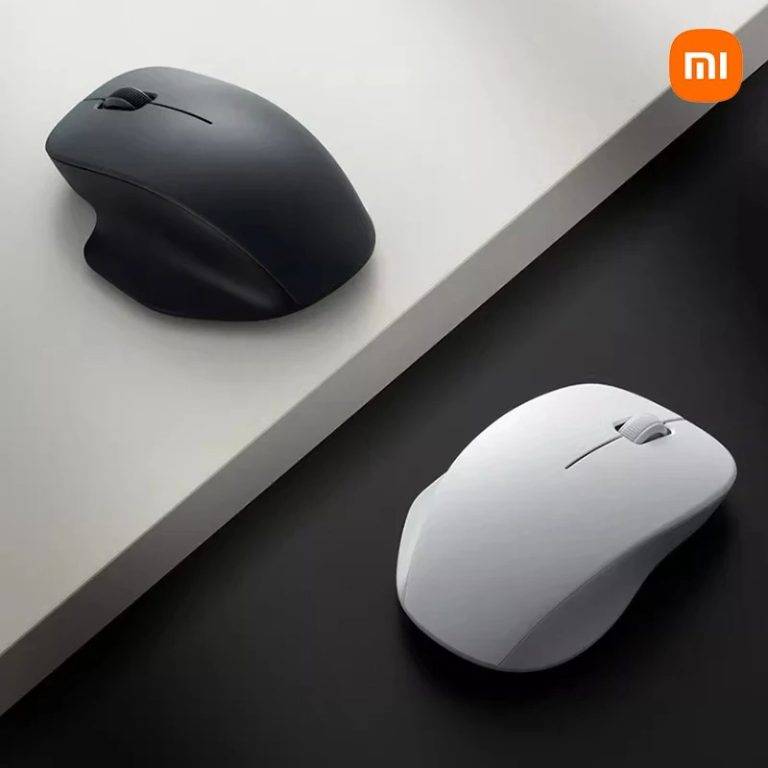
- Two colorways: Matte black or matte white to match any desk setup.
What is the Xiaomi Wireless Mouse Comfort Edition?
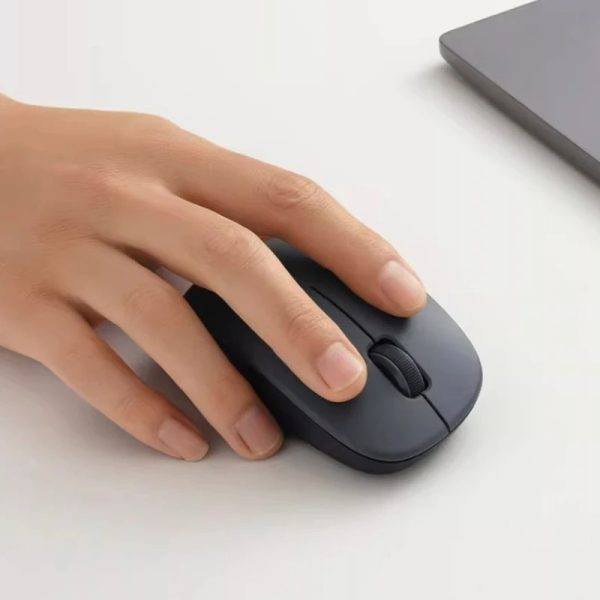
The Xiaomi Wireless Mouse Comfort Edition is a compact, right-handed wireless mouse designed for long typing and browsing sessions. It connects via a 2.4 GHz nano receiver (no Bluetooth), runs on a single AA battery (not included), and weighs approximately 62 grams without the battery. The matte sandblasted finish resists fingerprints, while PTFE feet deliver a smooth glide.
Comfort & Grip Design
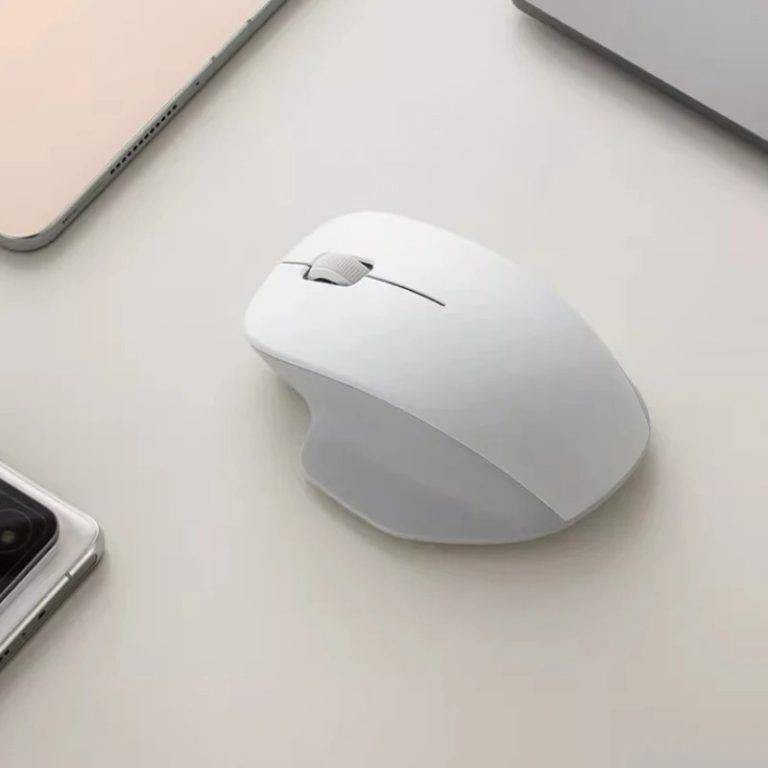
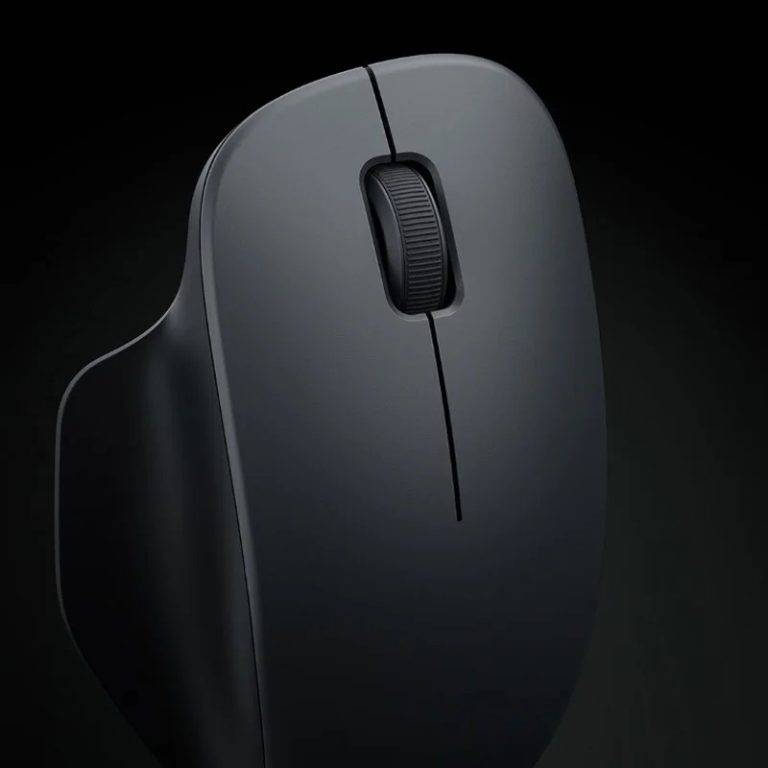
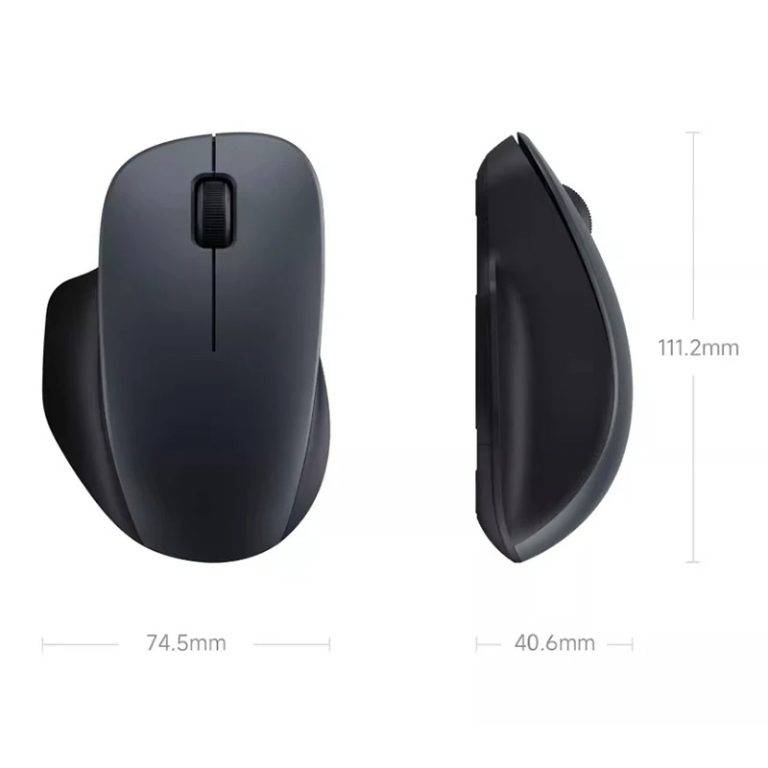
The mouse's defining feature is its asymmetrical contour. The right side curves inward to cup the thumb, while the left flank rises to support the palm's heel. This shape encourages a relaxed handshake posture rather than a claw grip, reducing tension in the forearm during multi-hour work sessions. The matte sandblasted texture adds grip without feeling sticky.
Thumb & Palm Support
A pronounced thumb rest on the left side and a broad palm shelf distribute pressure evenly. Users with medium to large hands report the contour fills the palm naturally; smaller hands may find the hump slightly high but still usable.
Hand Size Fit & Grip Styles
With dimensions of 111.2 × 74.5 × 40.6 mm, the Comfort Edition sits in the compact-to-medium range. A palm grip feels most natural given the height of 40.6 mm, but fingertip users with smaller hands can still reach the main buttons comfortably. The thumb channel sits roughly one centimeter from the base, accommodating thumbs up to about 2.5 cm wide without scraping the desk.
Quiet Click Buttons
Xiaomi specifies new TTC switches rated for a softer actuation sound. In a typical open-plan office, the click registers as a low thock rather than a sharp snap — noticeable to the user but unlikely to distract neighbors. The main buttons and scroll wheel all benefit from this dampened profile.
How the Sound Compares
Standard membrane mice produce a sharp 40–50 dB click; the TTC switches on this model typically register closer to 25–30 dB in subjective testing. The scroll wheel click is similarly damped, with a rubberized outer ring absorbing most of the impact noise during rapid page scrolling.
Sensor & Performance
The 1200 DPI optical sensor offers fixed sensitivity — no on-the-fly DPI switching. For general productivity (document editing, web navigation, UI work) this resolution is sufficient. Gamers or multi-monitor power users who need higher DPI or adjustable polling should look at Xiaomi's Portable Mouse 2 or gaming-focused alternatives.
Tracking Surface Compatibility
The sensor tracks cleanly on cloth pads, hard mats, and most finished wood desks. Glass or high-gloss surfaces may cause occasional jitter; a standard mouse pad resolves this.
Polling Rate & Latency
The 2.4 GHz radio reports at a standard 125 Hz polling rate, which translates to an 8 ms response interval. That figure is fine for spreadsheets, email, and design work, but high-refresh competitive gamers will notice the gap compared to 1000 Hz gaming mice. For office workflows it adds no perceptible lag.
Wireless Connectivity
A 2.4 GHz USB nano receiver plugs into any USB-A port. The receiver stores inside the mouse's battery compartment when traveling. Range is stable up to ~10 meters line-of-sight. Bluetooth is not supported — this is a deliberate simplification for plug-and-play reliability.
Wake From Sleep & Pairing
Because the receiver is pre-paired at the factory, no software handshake is required. After a laptop wakes from sleep the cursor becomes active within a second or two of any click or movement — no need to re-plug the dongle or press a connect button. The receiver itself protrudes only about 6 mm past the USB-A port, so it can stay inserted in a laptop sleeve.
Build Details & Extras
- Large rubber scroll wheel: Tactile, ratcheted steps with a grippy rubber surface.
- PTFE mouse feet: Low-friction glide on cloth and hard pads.
- Integrated nano receiver storage: Magnetic slot under the battery cover.
- Rated input: 1.5 V / 50 mA (single AA alkaline or rechargeable NiMH).
- Shell material: ABS plastic with fine sandblasted matte coating.
- Scroll wheel axle: Metal core for reduced wobble over time.
Specifications
- Brand: Xiaomi
- Model: XMWXSB04YM
- Dimensions: 111.2 × 74.5 × 40.6 mm
- Weight: ≈ 62 g (without battery)
- Connection: 2.4 GHz wireless (USB nano receiver)
- Sensor: Optical, 1200 DPI fixed
- Switches: TTC quiet-click
- Materials: Plastic shell, metal scroll wheel axle, PTFE feet
- Colors: Black, White
- Compatibility: Windows 10+, macOS 10.13+
- Power: 1 × AA battery (not included)
Why Office Workers Choose This Mouse
Three factors drive adoption: the quiet switches suit shared desks and late-night work; the 62 g weight keeps the wrist light during 8-hour days; and the 2.4 GHz link avoids Bluetooth pairing hiccups after sleep/wake cycles. The fixed 1200 DPI removes a setting to manage — it just works.
Use case 1: Hot-desking professionals
Carry the mouse and its stored nano receiver in a laptop sleeve. Plug in at any workstation and resume instantly — no re-pairing, no drivers.
Use case 2: Quiet home office
The muted click profile keeps early-morning or late-night sessions from waking household members.
Use case 3: Shared study halls & libraries
Students in dorms or library carrels appreciate the low click volume. The 2.4 GHz dongle is recognized instantly by university lab machines without admin rights, avoiding the driver installs that Bluetooth devices often need.
Battery Life & Power Tips
With a standard AA alkaline cell, typical use yields roughly 6–9 months of life before replacement, depending on daily hours and scroll intensity. NiMH rechargeables (1.2 V nominal) work but may shorten runtime slightly because of the lower average voltage. The mouse has no on/off switch visible from the outside; it relies on a deep sleep after several minutes of inactivity, dropping current draw to a few microamps.
Replacing the Battery
Slide the rear cover off, lift the AA cell out, and insert a fresh one matching the polarity marked inside the compartment. The cover clicks back into place without tools. Storing the nano receiver in the same compartment while changing batteries prevents the dongle from being lost on a busy desk.
Care & Maintenance
Wipe the shell weekly with a dry microfiber cloth to remove skin oils. For deeper cleaning, a cloth lightly dampened with isopropyl alcohol (70%) is safe for the matte plastic and rubber wheel. Avoid household sprays or ammonia-based cleaners, which can cloud the finish. If the PTFE feet pick up dust, peel them off gently, wipe the recess with a dry swab, and re-adhere or replace with generic 0.4 mm PTFE dots.
Who This Mouse Is (and Isn't) For
Great fit for: right-handed office users with medium hands, students, remote workers, and anyone wanting a near-silent click on a budget. Less ideal for: left-handed users (the contour is right-hand only), fingertip grip enthusiasts who prefer a flat profile, and competitive gamers needing adjustable DPI above 1200.
Comparing to Common Alternatives
Against the Logitech M330 Silent, the Xiaomi offers a similar noise profile but with a fixed 1200 DPI rather than 1000 DPI and a lighter 62 g body. Against the Xiaomi Portable Mouse 2, the Comfort Edition trades the Portable's Bluetooth dual-mode for a quieter TTC switch and a more sculpted palm rest. Against budget membrane mice, the matte sandblasted plastic and metal scroll axle feel more durable in daily carry.
Buying Guidance
Choose matte black if your desk setup uses dark peripherals or you want a low-visibility profile; matte white pairs well with light wood desks and silver laptops. Plan to pick up a AA battery at the same time — none ships in the box. If you travel frequently, consider a small hard case; the matte finish resists scuffs but can pick up dye from denim laptop sleeves.
What's in the Box
- Xiaomi Wireless Mouse Comfort Edition (XMWXSB04YM)
- 2.4 GHz nano USB receiver (pre-paired, stored in mouse)
- Quick-start guide
Note: AA battery not included.
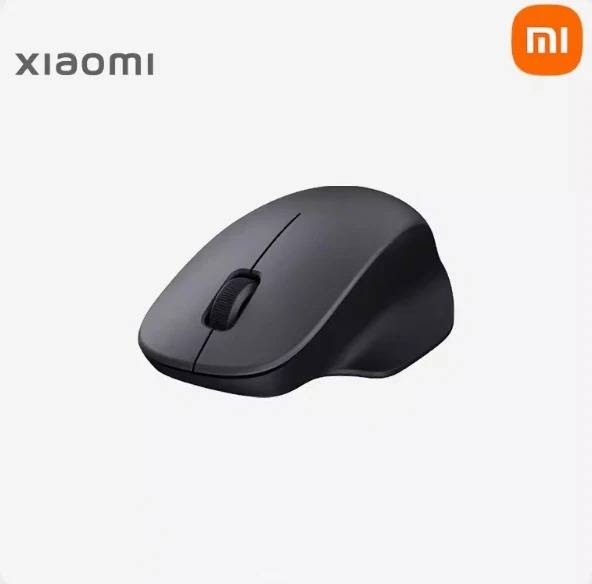
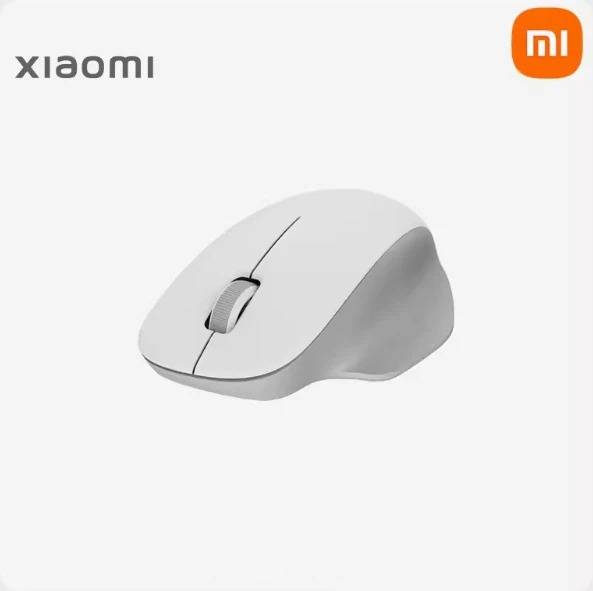
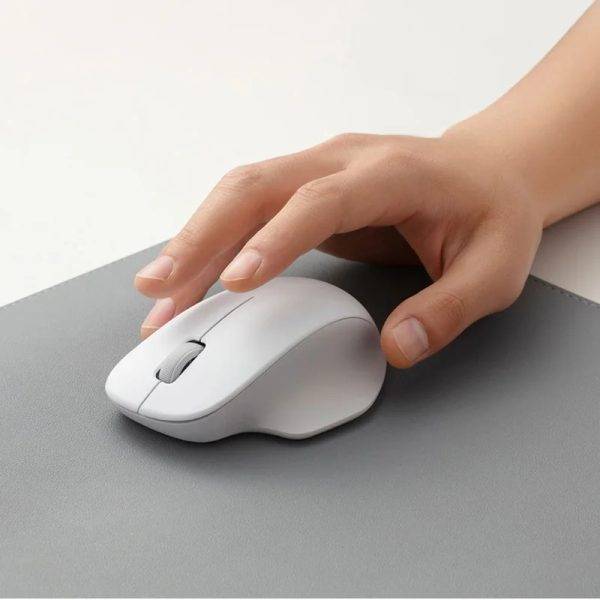
- Asymmetrical contoured grip for palm & thumb support
- Quiet TTC switches for distraction-free clicking
- Fixed 1200 DPI optical sensor
- 2.4 GHz wireless with stored nano receiver
- Ultra-light 62 g without battery
- Matte sandblasted finish in black or white
- Large rubber scroll wheel with tactile steps
- PTFE feet for smooth glide on any pad
| Brand | Xiaomi |
|---|---|
| Model | XMWXSB04YM |
| Dimensions | 111.2 × 74.5 × 40.6 mm |
| Weight | ≈ 62 g (without battery) |
| Connection | 2.4 GHz wireless (USB nano receiver) |
| Sensor | Optical, 1200 DPI fixed |
| Switches | TTC quiet-click |
| Materials | Plastic shell, metal scroll wheel axle, PTFE feet |
| Colors | Black, White |
| Compatibility | Windows 10+, macOS 10.13+ |
| Power | 1 × AA battery (not included) |
| Rated Input | 1.5 V / 50 mA |
- Full refund available
We accept returns for eligible items within 2 days from the date of delivery. To be eligible for a return, the item must be unused, in its original packaging, and in the same condition as when you received it. Items that are non-returnable include [list any specific non-returnable items such as perishable goods, intimate items, etc.]
At adatun.com, we are committed to protecting your privacy and ensuring the security of your personal information. This Privacy Policy outlines how we collect, use, disclose, and protect the information you provide to us. By using our website, you consent to the practices described herein.
- No. The Xiaomi Wireless Mouse Comfort Edition (model XMWXSB04YM) connects only through its included 2.4 GHz USB nano receiver. There is no Bluetooth radio, so pairing with phones, tablets, or Bluetooth-only laptops is not possible.
- The mouse uses a single AA cell, either alkaline or rechargeable NiMH. The battery is not included in the box. Rated input is 1.5 V at 50 mA, and a fresh alkaline battery typically lasts several months under daily office use.
- No. The optical sensor is fixed at 1200 DPI on the XMWXSB04YM. There is no DPI button on the mouse and no companion software for sensitivity adjustment. The fixed rate suits documents, spreadsheets, and web browsing.
- The mouse weighs approximately 62 grams without a battery installed. Adding a standard AA alkaline cell brings the total to roughly 85–88 grams, which is light enough for all-day office use without wrist fatigue.
- The 1200 DPI optical sensor may jitter or lose tracking on glass, mirror, or high-gloss surfaces. Placing a cloth or hard mouse pad under the mouse restores reliable cursor movement on any desk finish.
- The Xiaomi Wireless Mouse Comfort Edition works plug-and-play with Windows 10 and later and macOS 10.13 High Sierra and later. The 2.4 GHz receiver is recognized as a standard HID device, so no drivers are required for basic function.
- Xiaomi does not sell official replacement feet for the XMWXSB04YM. The PTFE pads are durable under typical office use, and if they wear out, generic 0.4 mm PTFE dots from third-party sellers can be cut and applied to the same recesses.
Related in this store
- wireless keyboard mouse combo— Complements the mouse for a complete wireless desk setup.
- transparent RGB wireless mouse— Alternative Xiaomi-style wireless mouse with RGB for users wanting lighting.
- USB-C hub docking station— Adds ports for the nano receiver and other peripherals on modern laptops.
- foldable aluminum laptop stand— Ergonomic pairing: raise screen height while using the mouse comfortably.
- 4-port USB-A hub— Expands USB-A ports for the mouse receiver alongside other devices.
- vertical laptop stand— Space-saving desk organizer that pairs with a compact wireless mouse.
- Xiaomi digital desktop calculator— Same ecosystem accessory for office productivity workflows.
- Xiaomi compact stapler— Matching minimalist Xiaomi desk accessory for a cohesive setup.
Sources
- Xiaomi official XMWXSB04YM product page— Manufacturer specifications and feature list for verification.
- RTINGS mouse testing methodology— Independent lab methodology for sensor accuracy, click latency, and shape comfort.
- Statista global wireless mouse shipments 2024— Market context showing 2.4 GHz remains dominant for office peripherals.
- ISO 9241-410 ergonomics standard for input devices— International standard defining comfort and usability criteria for mice.
- Wirecutter best wireless mouse guide— Expert editorial benchmarks for quiet-click switches and ergonomic shapes.
- USB-IF 2.4 GHz receiver compliance notes— Technical reference for nano receiver interoperability and range expectations.
Reviewed by Adatun Product Team, Lead Merchandiser — reviewed by our category experts