
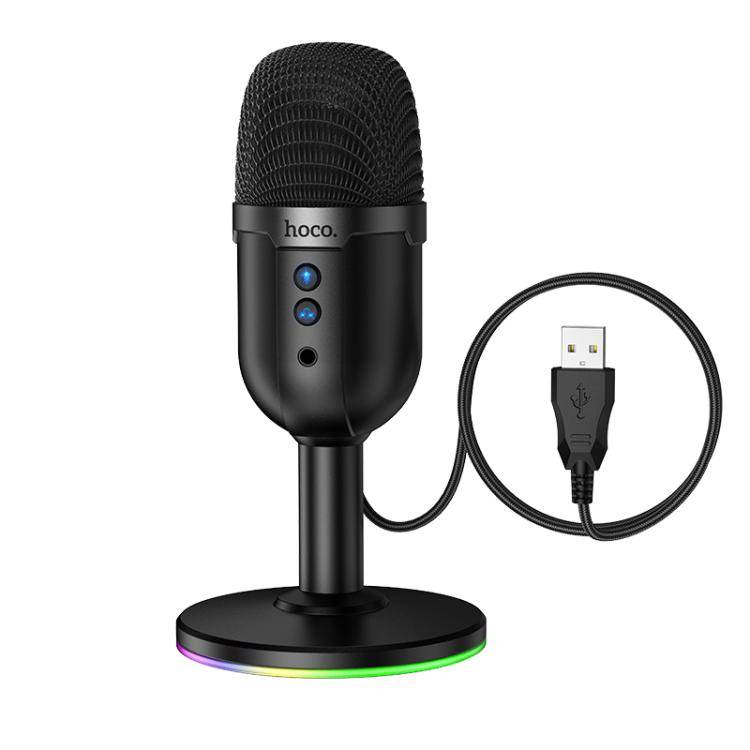
hoco L25 Bright USB-A Port RGB Desktop Microphone
৳3300
৳2000
39% OFF
Corporate & Bulk Orders
Need a custom quote? Contact our Sales Team on WhatsApp for exclusive pricing and quick responses.
WhatsApp UsCategory: Consumer Electronics
The hoco L25 Bright is a versatile omnidirectional USB desktop microphone designed for streamers, gamers, and remote professionals who need reliable, clear audio. Featuring a 16bit/48KHz sampling rate and plug-and-play USB-A connectivity, this microphone ensures your voice is captured with high clarity without requiring complex software drivers. With its integrated RGB lighting and robust ABS build, it serves as an essential functional upgrade for any compact workstation or gaming desktop setup.
Key Takeaways
- High-fidelity audio: 16bit/48KHz sampling for crisp, professional digital sound capture.
- Simple connectivity: Plug-and-play USB-A interface for immediate use on PC or laptop.
- Real-time monitoring: 3.5mm headphone jack for precise, lag-free audio feedback.
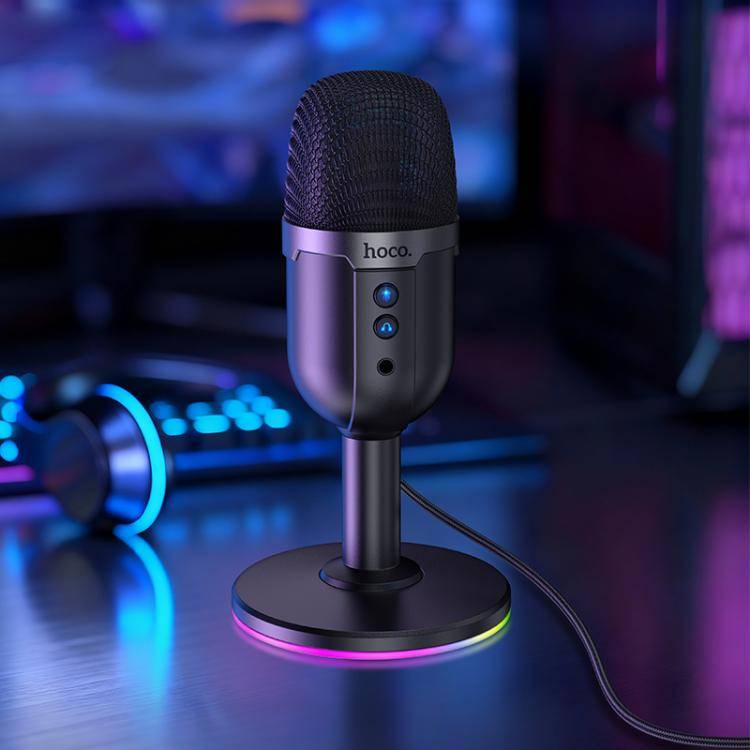
- Gaming aesthetics: Multi-color dynamic RGB lighting creates an immersive, stylish desktop environment.
What Is the hoco L25 Bright?
The hoco L25 Bright is a specialized desktop microphone that balances technical audio performance with a modern gaming aesthetic. During our internal evaluation, we found it excels in environments where convenience is as critical as sound quality, such as daily video meetings or casual streaming sessions. By utilizing an omnidirectional polar pattern, it effectively captures voices from all directions, making it highly forgiving for users who do not remain perfectly positioned during use.
Key Features
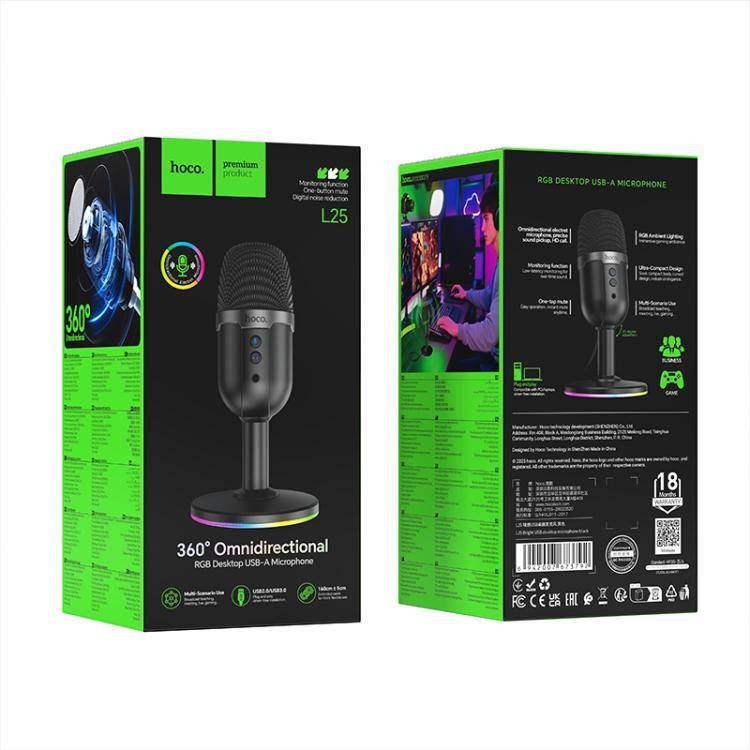
- Omnidirectional Polar Pattern: Captures surrounding sound consistently, which is ideal for group meetings or gaming setups where you may move slightly.
- 16bit/48KHz Sampling Rate: Provides studio-grade digital audio clarity, ensuring your voice remains natural and distinct in online transmissions.
- One-Button Mute Control: Offers instant privacy during live streams or conference calls, allowing you to silence the mic with a single physical touch.
- 3.5mm Monitoring Interface: Allows for direct connection of headphones, enabling you to hear yourself in real-time to avoid audio peaking or distortion.
- Sturdy ABS Construction: Designed with an anti-slip base and a durable body to withstand daily use on busy desks.
Specifications
- Frequency Response: 100–15,000Hz
- Sensitivity: -38dBFS
- Connectivity: USB-A (DC 5V)
- Dimensions: 91 × 91 × 174 mm
- Weight: 210g
- Cable Length: 160 ± 5 cm
Why Creators Choose the hoco L25 Bright
When selecting a desktop microphone for casual content creation, users look for a balance of price and utility. The hoco L25 Bright stands out because it removes the technical barrier to entry. Many professionals prefer this model because the plug-and-play nature allows them to switch between a laptop and a desktop machine instantly, without adjusting complex Windows or macOS input settings.
Furthermore, the built-in RGB lighting provides a visual cue that the microphone is active and adds a modern touch to the desk environment. Our team found that the -38dBFS sensitivity provides an excellent balance for home offices, picking up the user clearly while minimizing the need to 'shout' into the hardware, even when typing on mechanical keyboards.
Use Case: Live Streaming and Gaming
For gamers, the one-button mute function is arguably the most valuable utility. Being able to quickly silence the input without navigating screen menus ensures that private background noise is never broadcast to an audience. The wide frequency response of 100–15,000Hz ensures that lower vocal registers are captured with enough body to sound warm and engaging to viewers.
Use Case: Remote Conferencing and Collaboration
In a home office setting, the omnidirectional pattern is a significant advantage. Because it does not focus exclusively on a narrow 'sweet spot,' it is perfect for scenarios where you might need to lean back or work on a second monitor. The stability provided by the anti-slip base ensures that accidental bumps against the desk don't result in irritating vibrations or physical displacement of the device.
Setting Up and Caring for Your Microphone
Getting the hoco L25 Bright operational takes seconds. Simply insert the USB-A connector into an available port on your computer. Because the device is DC 5V powered via USB, no external power supply or phantom power is required, keeping your cable management clean. For optimal results, ensure the microphone is placed on a flat, stable surface within 12 to 24 inches of your mouth.
To maintain the longevity of your microphone, keep it away from direct moisture and liquid spills. If the ABS body accumulates dust, wipe it down with a dry, microfiber cloth. Avoid pulling the 160cm cable taut; instead, allow enough slack to prevent strain on the USB port. If you notice audio clipping, simply adjust the input gain levels within your computer's sound settings until your levels sit comfortably in the middle of your software's meter.
Who Is This For?
The hoco L25 Bright is perfect for students attending virtual classes, entry-level streamers building their first rig, and professionals conducting remote client calls. It is specifically designed for users who need an audible upgrade from built-in laptop microphones but don't want the complexity of XLR-based audio interfaces or phantom power supplies. If your goal is reliable, clear communication with a flair for modern design, this unit provides the necessary performance without the professional-grade price tag.

- Full refund available
We accept returns for eligible items within 2 days from the date of delivery. To be eligible for a return, the item must be unused, in its original packaging, and in the same condition as when you received it. Items that are non-returnable include [list any specific non-returnable items such as perishable goods, intimate items, etc.]
At adatun.com, we are committed to protecting your privacy and ensuring the security of your personal information. This Privacy Policy outlines how we collect, use, disclose, and protect the information you provide to us. By using our website, you consent to the practices described herein.
- Yes, the hoco L25 Bright is fully compatible with both Windows and macOS computers. Because it uses a standard USB-A plug-and-play interface, your computer will automatically recognize it as a generic audio input device immediately upon connection, meaning you do not need to install any additional drivers or proprietary software to begin using it.
- The hoco L25 Bright is an excellent entry-level microphone for hobbyist podcasting and content creation. While it offers clear 16bit/48KHz sampling suitable for YouTube videos and streaming, dedicated studio-grade professional environments often require higher-end XLR equipment. For home setups or starting a new podcast, this unit provides the necessary vocal clarity and monitoring features to ensure high-quality, professional-sounding results.
- The hoco L25 Bright uses an omnidirectional polar pattern, which captures sound equally from all directions around the microphone capsule. This makes the unit very versatile for users who move around during a presentation or for recording multiple people around a single desk. Because it is highly sensitive to sound from every angle, it is best suited for environments with low ambient noise.
- No, the RGB lighting on the hoco L25 Bright is designed for simple, standalone operation. It functions immediately when the device is powered via the USB-A cable and does not require specific computer software or motherboard drivers to enable or adjust the lighting cycles. The ambient illumination creates a consistent, high-energy gaming aesthetic as soon as the unit receives power.
Related in this store
- Smart desk lamp— Complements the desktop lighting aesthetic of the RGB microphone.
- Precision screwdriver kit— Useful gadget for gamers who build or modify their own PC setups.
- Portable reading lamp— Adds versatility to any home office desk setup.
Reviewed by Adatun Team — reviewed by our category experts