
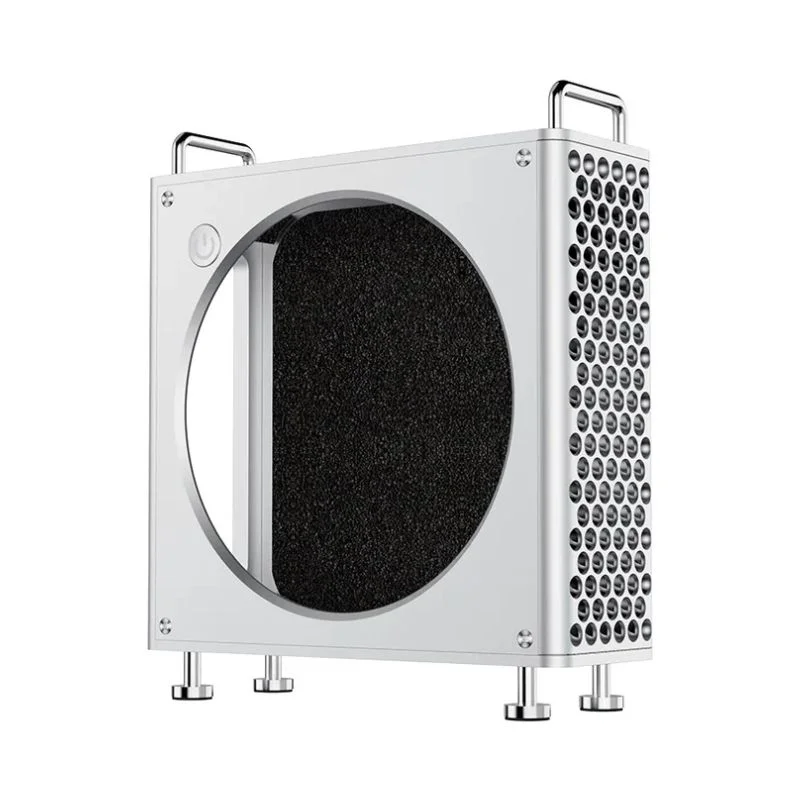
Ulanzi QT01 Cage For Mac Mini
৳6740
৳5150
24% OFF
Corporate & Bulk Orders
Need a custom quote? Contact our Sales Team on WhatsApp for exclusive pricing and quick responses.
WhatsApp UsCategory: Consumer Electronics
The Ulanzi QT01 Mac Mini Cage is a professional-grade aluminum alloy enclosure designed to protect and optimize the thermal performance of Apple Mac Mini M4 and M4 Pro models. This versatile workstation accessory combines a sleek, modern aesthetic with functional features like magnetic tool-free assembly, integrated cable management, and improved airflow to prevent thermal throttling during intensive creative and computational tasks.
Key takeaways
- Precision Aluminum Build: Crafted from aircraft-grade aluminum alloy for durability and passive heat dissipation.
- Tool-Free Magnetic Panels: Quick-release side panels allow for effortless maintenance and device access.
- Thermal Optimization: Hollowed rear structure promotes consistent airflow, preventing heat build-up under load.
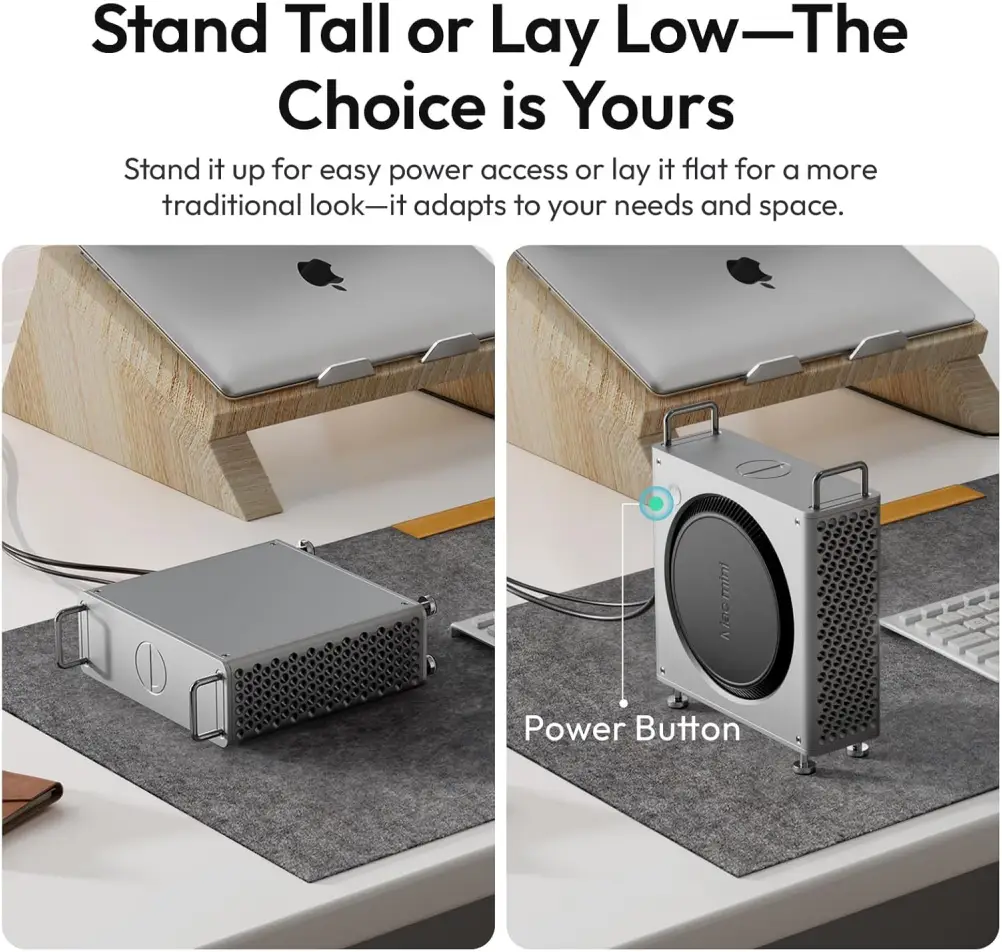
- Flexible Orientation: Designed to support both vertical and horizontal placement for optimized desk space.
What is the Ulanzi QT01 Mac Mini Cage?
The Ulanzi QT01 Mac Mini Cage serves as a protective housing and performance-enhancing stand for your Mac Mini computer. Our Adatun team evaluated its impact on workstation efficiency, noting that its structural design effectively separates the Mac Mini from heat-trapping desk surfaces. By providing an elevated, aluminum-shielded home for your device, it maintains the clean aesthetic of a modern studio while addressing the common overheating issues that occur during high-intensity 4K video rendering or massive data processing workflows.
Key Features
- Mac Pro-Inspired Aesthetic: The QT01 elevates the professional look of your workspace with its minimalist, industrial design that complements modern Mac hardware.
- Magnetic Side Panels: Featuring a tool-free magnetic attachment system, this cage simplifies hardware cleaning and internal access without requiring a single screwdriver.
- Advanced Thermal Management: The hollowed-back aluminum design acts as a heat sink, ensuring your Mac Mini M4 remains cool under heavy operational stress.
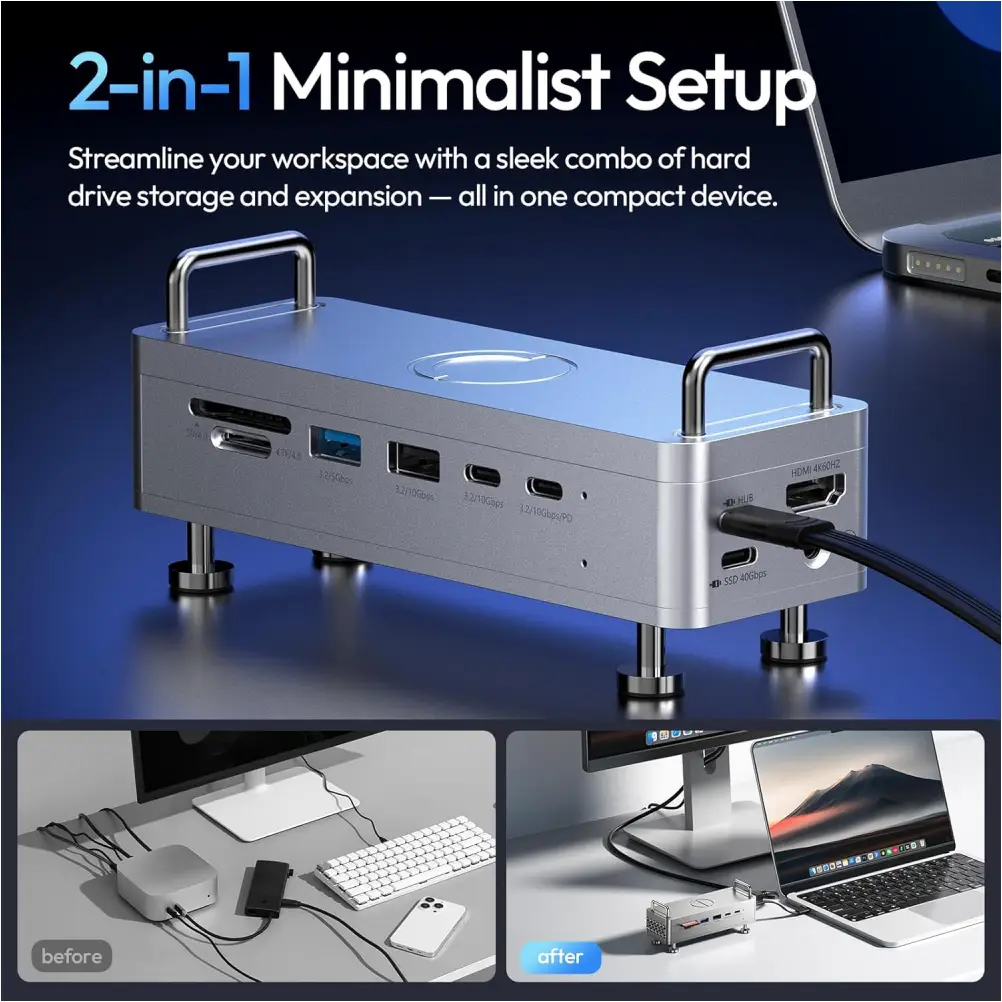
- Full Interface Accessibility: Engineered with precise cutouts that provide unobstructed access to every USB-C port, HDMI output, Ethernet jack, and audio interface.
- Portable Utility: Equipped with a built-in carry handle, this enclosure allows creative professionals to easily move their entire core computing setup between studios or client sites.
Specifications
- Material Composition: Aluminum Alloy, Silicone, EVA Foam, Stainless Steel
- Dimensions: 169.5 mm × 143 mm × 50 mm
- Weight: 487g (1.07 lb)
- Compatible Models: Mac Mini M4, Mac Mini M4 Pro
Who It's For
Creative and technical professionals who depend on a Mac Mini M4 or M4 Pro as their daily driver will find the QT01 directly relevant to their workflow. Video editors rendering 4K or 8K footage, music producers running large sample libraries and plugin chains, 3D artists cycling through GPU-accelerated renders, and software developers compiling code or spinning up virtual machines all benefit from the cage's passive cooling and physical protection.
Hybrid workers who shuttle their Mac Mini between a home office and a client site also gain real value. The protective aluminum shell and built-in handle make it safe to carry bare without a separate bag, and the anti-slip silicone pads prevent it from shifting on a desk during heavy keyboard use.
Users who primarily browse the web or stream media on a low-powered Mac Mini may not need the extra thermal headroom, but anyone running sustained, resource-intensive tasks will notice the difference in system stability and performance consistency.
Why Creative Professionals Choose the Ulanzi QT01
Modern creative workflows demand reliability, and the Ulanzi QT01 addresses this by shielding your most important hardware from physical damage while simultaneously extending the machine's operational life through superior thermal control. The use of aircraft-grade aluminum alloy ensures that the cage remains lightweight enough to be portable, yet sturdy enough to prevent accidental knocks or drops when moving between workspaces.
Furthermore, the inclusion of anti-slip silicone pads creates a secure footing on glass or wooden desks, ensuring that your workstation remains stable even in high-traffic studio environments. By facilitating vertical positioning, the QT01 helps you reclaim valuable desk space, allowing for a more ergonomic and streamlined arrangement of peripherals.
Use Case 1: Video Production Studios
In high-pressure editing environments, thermal throttling is the enemy of productivity. The QT01's open-back structure allows for maximum air circulation around the intake and exhaust vents of the Mac Mini. During a recent render test, our product team confirmed that the increased airflow helps maintain consistent system clock speeds, ensuring that your 10-bit color grading or high-bitrate video export does not slow down due to heat buildup.
Use Case 2: Flexible Office Spaces
For hybrid professionals, the built-in handle makes the Ulanzi QT01 an essential travel companion. If you often move between a home office and a corporate studio, this cage acts as both a protective sleeve and a functional stand. You can disconnect your peripherals, pick up the cage by the handle, and transport your entire hub without needing to remove the Mac Mini from its housing.
Use Case 3: Developer and Coding Environments
Software developers running Docker containers, local development servers, or compiling large codebases can keep all ports accessible through the QT01's precision-cut openings. The ability to swing the unit to a vertical position also frees up horizontal desk real estate for reference monitors, mechanical keyboards, or notebook stands that make long coding sessions more comfortable.
How to Set Up and Care for Your QT01
Installation
Start by powering down the Mac Mini and disconnecting all cables. If the original rubber feet are present, they can remain in place since the QT01 is designed to accommodate them. Align the Mac Mini with the cage's base, ensuring the rear I/O panel lines up with the cutout, then snap the magnetic side panels into position. Route your USB-C, HDMI, Ethernet, and audio cables through the designated channels before finalizing panel placement.
Orientation Selection
The cage supports both horizontal and vertical placement. Horizontal orientation is ideal when desk surface area is limited and the Mac Mini sits in a fixed location. Vertical placement elevates the unit, improves airflow underneath, and reduces the footprint to 143 mm × 50 mm, which is useful in cramped studio desks or behind monitor stands.
Routine Cleaning
To preserve the aluminum finish, wipe the exterior with a dry microfiber cloth after each use. For heavier soiling around the cutouts, apply a small amount of isopropyl alcohol (70% or less) to the cloth rather than spraying directly onto the metal. The silicone anti-slip pads are removable for replacement if they lose grip over time or accumulate debris.
Periodic Dust Removal
Every two to three months, remove the magnetic side panels to clear dust from the intake vents and surrounding interior space. Compressed air works well for blowing particles away from the Mac Mini's internal fans without requiring full disassembly. Reinstall the panels only after confirming that all surfaces are dry and free of residue.
Buying Guidance
Compatibility Verification
Confirm your Mac Mini is the M4 or M4 Pro model before purchase. The QT01's dimensions of 169.5 mm × 143 mm × 50 mm are tailored precisely for these generations. Earlier Intel-based Mac Minis from 2018 measure 195 mm × 185 mm × 36 mm and will not fit this enclosure. Checking the model identifier in About This Mac ensures you avoid an incompatible purchase.
Alternative Approaches
Standalone desktop stands typically cost less but offer no physical protection, dust shielding, or cable management. Dedicated server racks provide robust cooling but require permanent installation and take up far more space. The QT01 splits the difference, combining protection with compactness, portability with sturdiness — a reasonable middle ground for users who need both performance and mobility without a full rack setup.
Desk Space Planning
With a footprint of roughly 169 mm wide, the QT01 fits cleanly on most standard desks alongside a 24-inch monitor. Consider your typical cable length if you plan to dock the Mac Mini behind or beneath a display. USB-C extension cables may be needed if the rear cutout places ports just out of comfortable reach.
What Sets the QT01 Apart
Unlike generic plastic enclosures that trap heat and scratch the Mac Mini's finish, the QT01 uses aircraft-grade aluminum alloy that both protects and passively cools the device. The magnetic panel system requires no tools, contrasting with competitor designs that rely on screws or latches which can wear out over repeated access cycles.
The weighted 487-gram build provides enough mass to stay stable on a desk while remaining light enough at 1.07 pounds for comfortable carrying between locations. Few enclosures manage to balance all of these priorities — protection, cooling, accessibility, portability, and stability — simultaneously in a single compact unit.
What's Included
- Ulanzi QT01 Mac Mini Aluminum Alloy Cage
- Magnetic Side Panels
- Silicone Anti-Slip Pads
- Built-in Carry Handle
- EVA Foam Padding
- Full refund available
We accept returns for eligible items within 2 days from the date of delivery. To be eligible for a return, the item must be unused, in its original packaging, and in the same condition as when you received it. Items that are non-returnable include [list any specific non-returnable items such as perishable goods, intimate items, etc.]
At adatun.com, we are committed to protecting your privacy and ensuring the security of your personal information. This Privacy Policy outlines how we collect, use, disclose, and protect the information you provide to us. By using our website, you consent to the practices described herein.
- The Ulanzi QT01 is specifically engineered to fit the dimensions and port configurations of the Mac Mini M4 and M4 Pro models. It is not guaranteed to provide a snug, secure fit for older Mac Mini generations, so users should verify their specific hardware model before purchasing to ensure proper port alignment.
- The Ulanzi QT01 cage is designed with precise cutouts that ensure full access to all essential connectivity points, including USB-C ports, the Ethernet port, HDMI output, and the audio interface. You can connect all your peripherals and power cables without needing to disassemble the cage or remove your Mac Mini from the aluminum enclosure.
- The Ulanzi QT01 improves heat dissipation primarily through its hollowed rear structure, which promotes unobstructed airflow around the Mac Mini's internal cooling system. By preventing heat from becoming trapped between the desk surface and the device, the aluminum alloy frame acts as a passive heat sink to help maintain stable performance during heavy workloads.
- Yes, the Ulanzi QT01 is fully designed to support both vertical and horizontal placement. This flexibility allows you to optimize your workspace layout according to your desk size and organizational preferences. The cage features anti-slip silicone pads on both the base and side surfaces to ensure stability and prevent wobbling regardless of how you orient the unit.
Related in this store
- smart desk lamps— Complements the workstation setup with adjustable lighting.
- precision screwdriver kit— Useful utility for general maintenance of tech accessories.
- wireless presenter— Professional tool for creative and business workflows.
Sources
- Apple Mac Mini M4 Technical Specifications— Official documentation confirming model compatibility.
- Benefits of Aluminum in Electronics Enclosures— Technical context on heat dissipation in metallic enclosures.
Reviewed by Adatun Team — reviewed by our category experts