
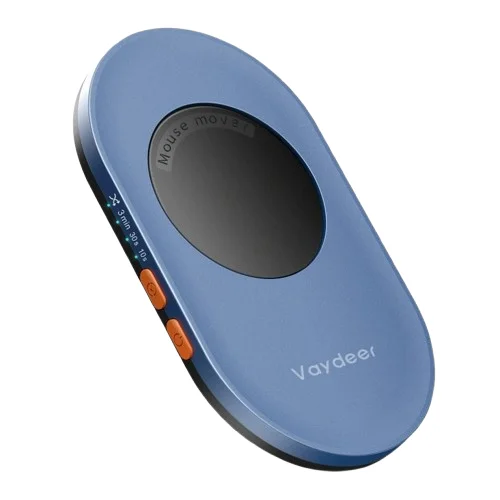
Vaydeer Undetectable Mouse Jiggler with Driver-Free Mouse Movement Simulator
৳7760
৳6180
20% OFF
Corporate & Bulk Orders
Need a custom quote? Contact our Sales Team on WhatsApp for exclusive pricing and quick responses.
WhatsApp UsCategory: Office and computer
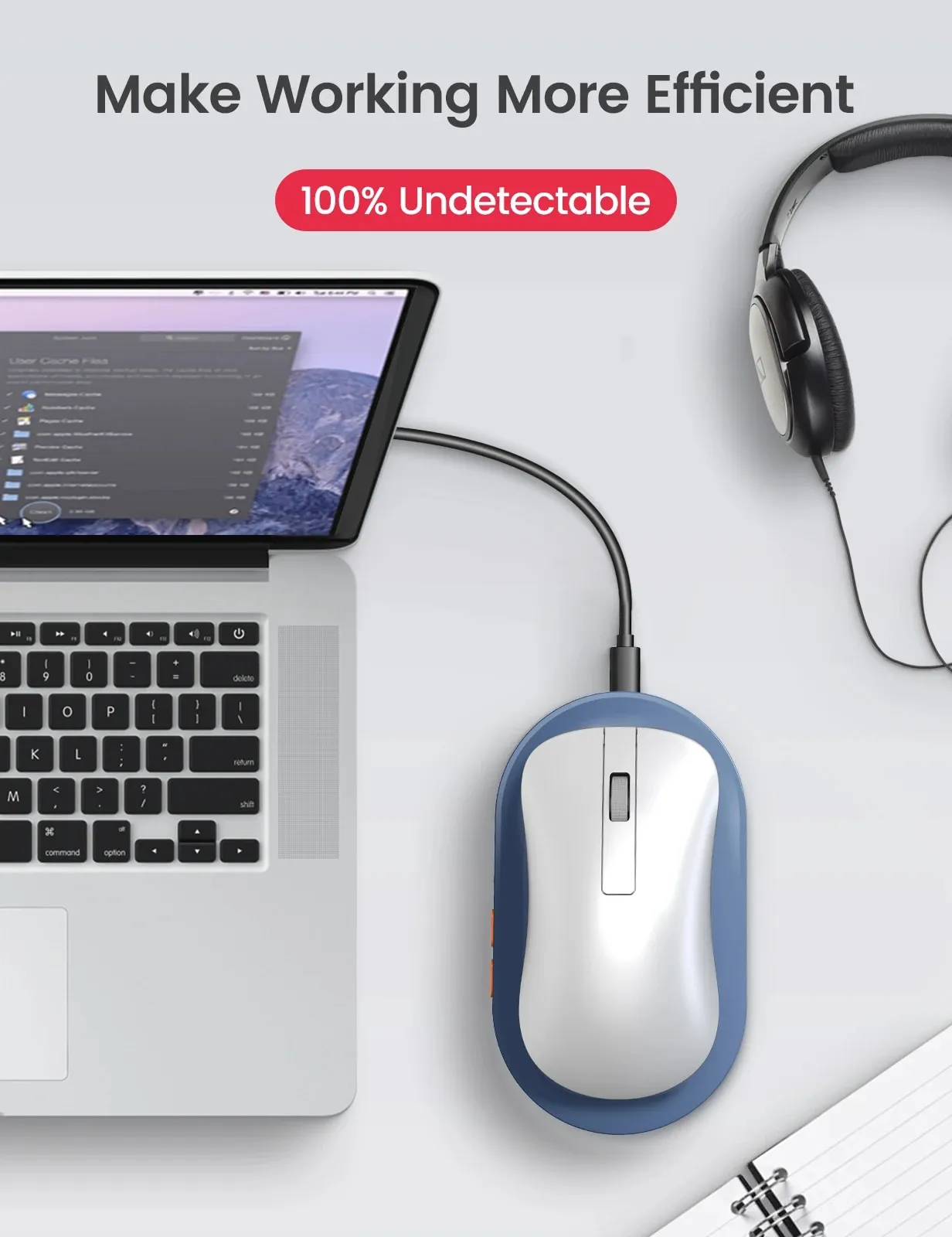
The Vaydeer Undetectable Mouse Jiggler is a hardware-based USB accessory designed to keep your computer active by simulating subtle, realistic mouse movements. This driver-free device prevents your PC from entering sleep mode or showing an 'away' status, ensuring your system remains responsive during long downloads, remote meetings, or brief breaks. It is compatible with both Windows and macOS, offering a simple, secure solution for maintaining digital presence without installing any potentially detectable software.
Key Takeaways
- Undetectable Hardware: Operates independently of software, preventing IT detection.
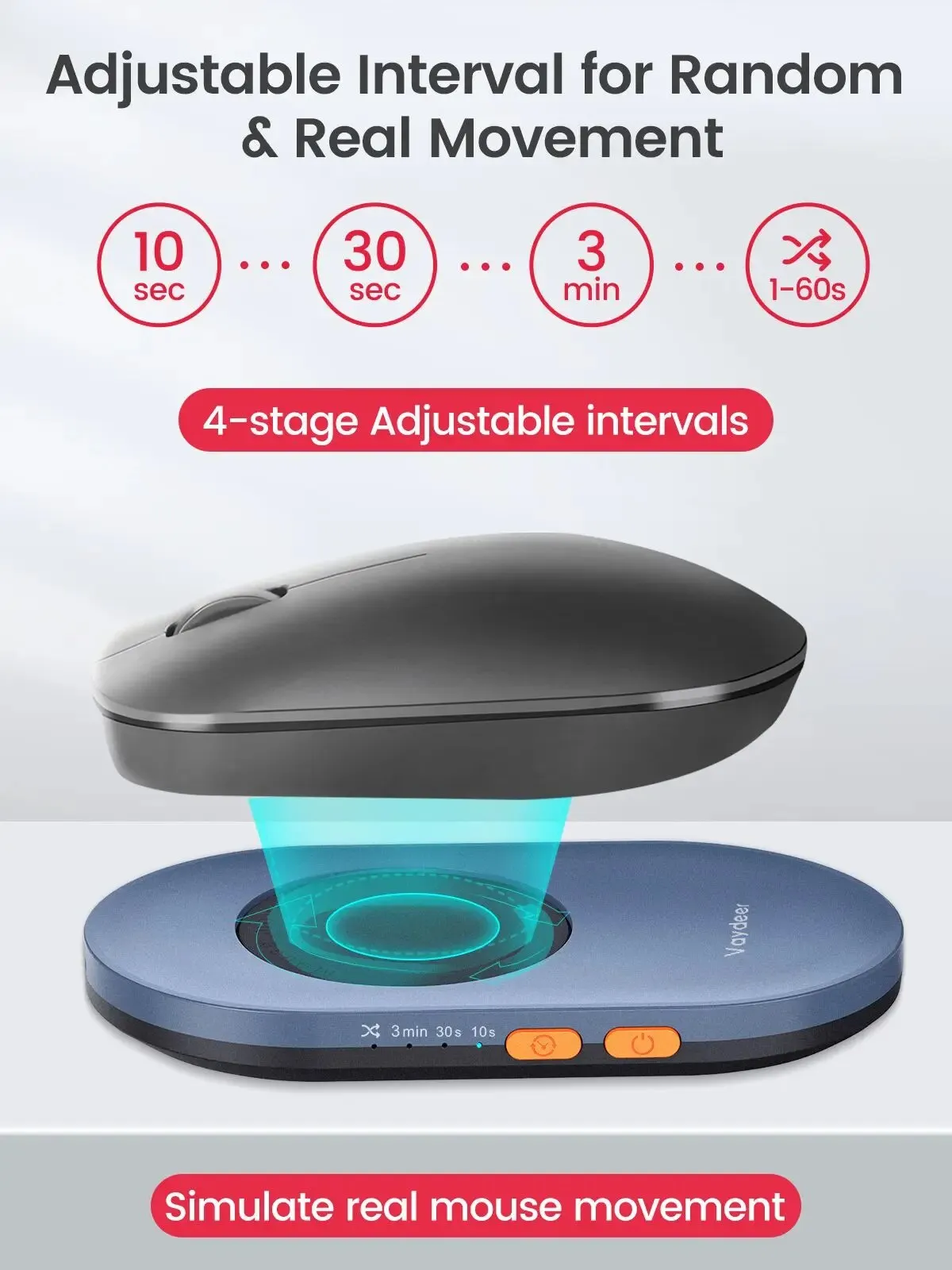
- Adjustable Timing: Features 10s, 30s, 3min, and Random (1–60s) intervals.
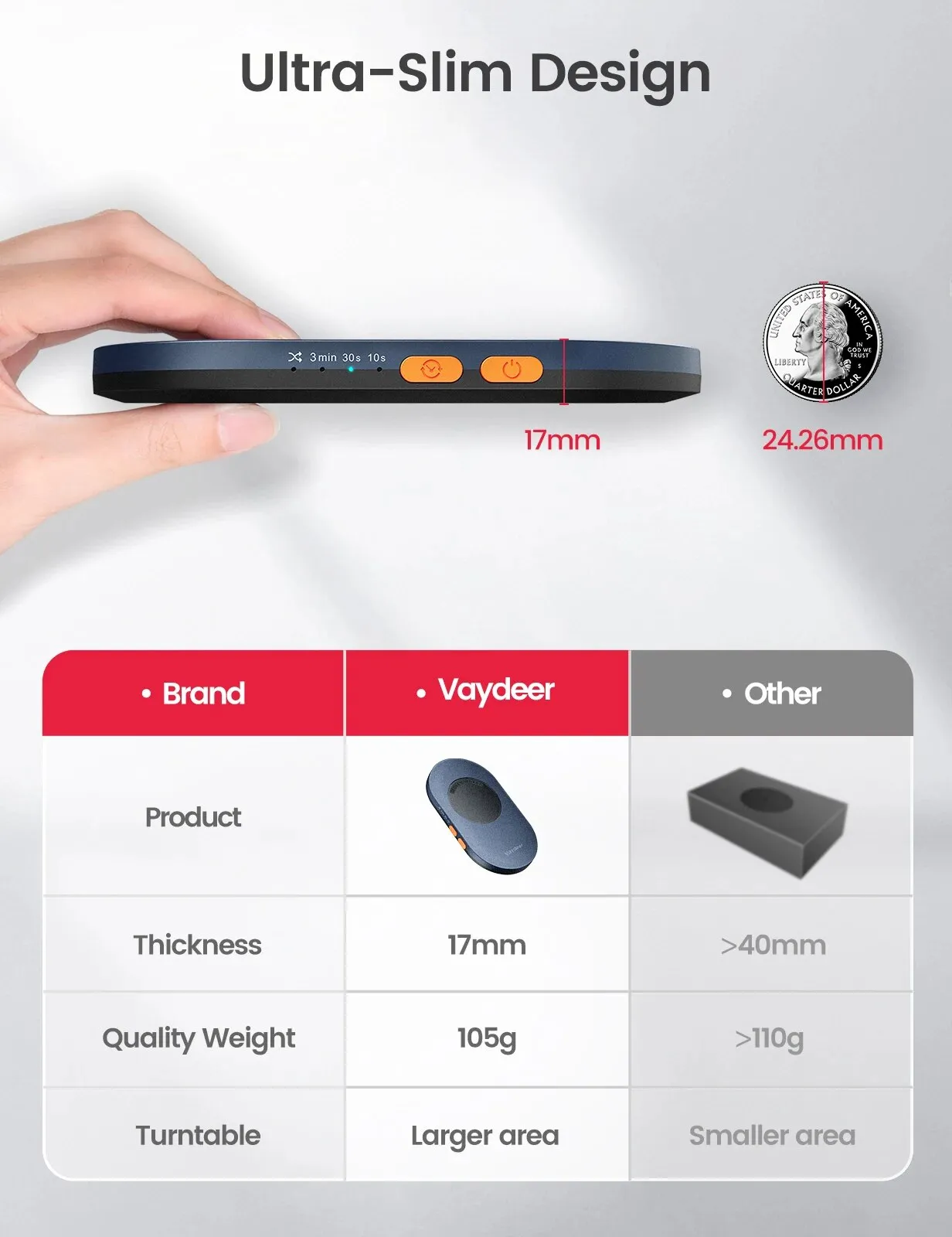
- Compact Build: Lightweight 105g profile with a slim 17.3mm thickness.
- Universal Use: Works seamlessly on Windows and macOS via USB Type-C.
What is the Vaydeer Undetectable Mouse Jiggler?
Our team at Adatun tested the Vaydeer Undetectable Mouse Jiggler to evaluate its effectiveness in modern remote work environments. Unlike software-based mouse movers that company security protocols often flag, this device functions at the hardware level. It uses a high-precision trackball simulation to register continuous, minimal movement, which tricks your operating system into maintaining an 'active' state. By preventing the screen from locking, it safeguards unsaved progress and keeps collaborative apps like Slack or Microsoft Teams showing a status of 'available.'
Key Features for Seamless Productivity
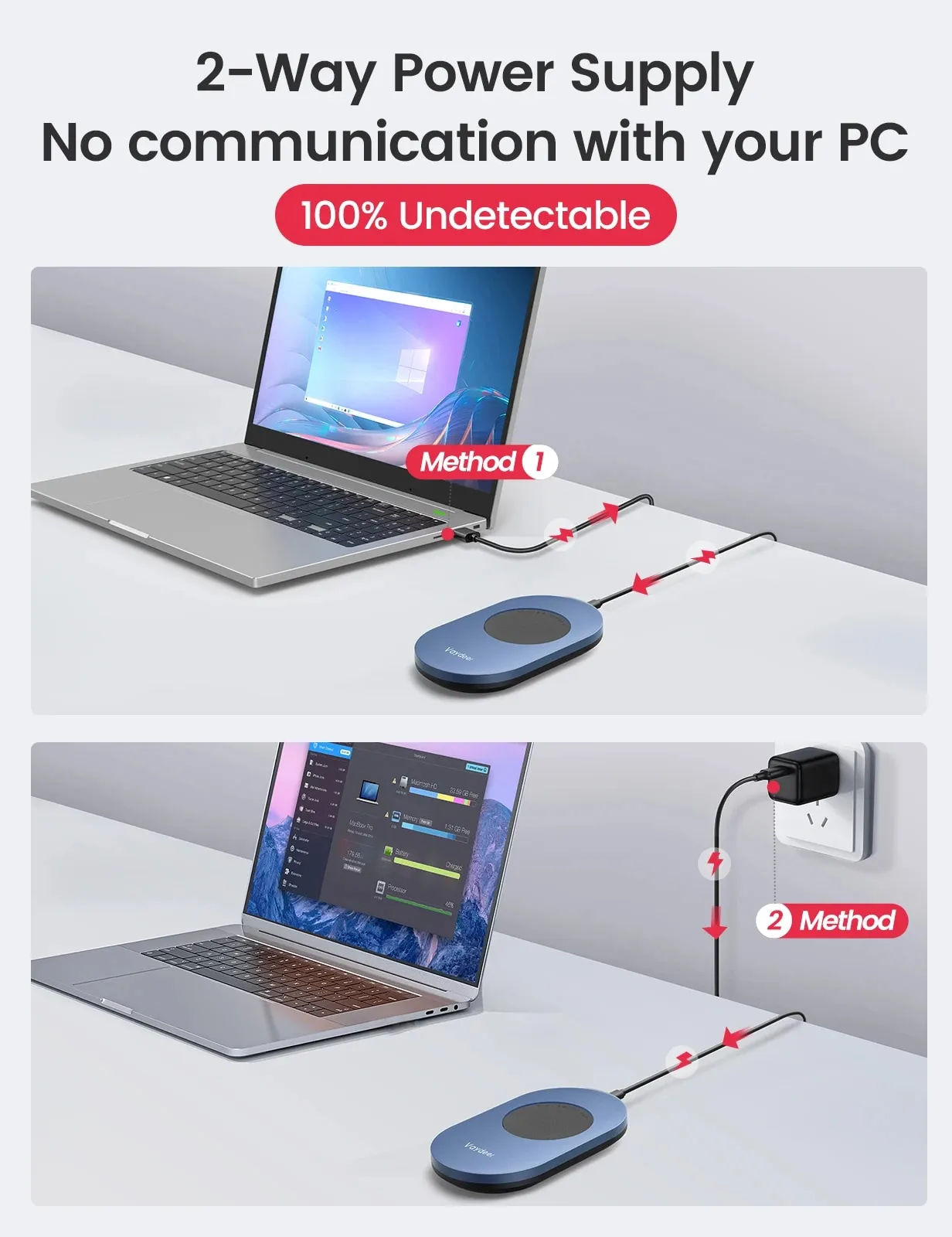
- Driver-Free Operation: Since it mimics a physical mouse via USB Type-C, it requires no administrative permissions or software drivers, making it genuinely invisible to IT monitoring tools.
- Versatile Timing Controls: Users can select between fixed movement intervals of 10 seconds, 30 seconds, or 3 minutes, or opt for a dynamic Random Auto Mode that cycles between 1 and 60 seconds to emulate natural human interaction.
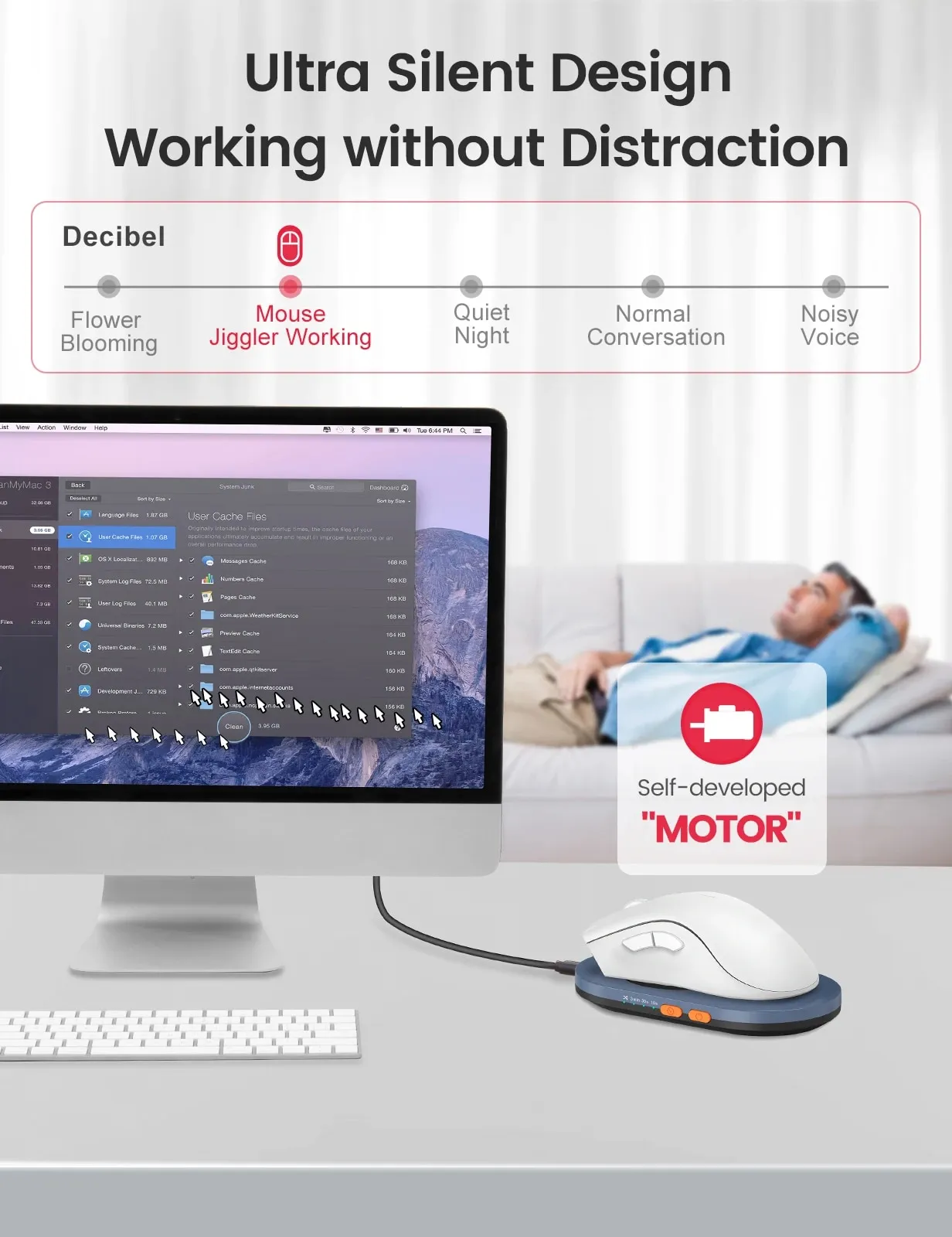
- Ultra-Quiet Motor: Engineered for professional settings, the internal motor operates at a near-silent volume, ensuring your focus remains unbroken during concentrated tasks.
- Portability: Its 17.3mm thickness makes it small enough to slide into a laptop bag, allowing you to move from your home office to a corporate desk without adding significant bulk to your daily carry.
Why Remote Workers Choose This
Maintaining an active digital presence is often a requirement for professionals managing long-running tasks or attending extended virtual conferences. Relying on system settings is often insufficient, as company policies often force a lockout after minutes of inactivity. This device provides a consistent workaround, allowing for the flexibility of walking away from your desk without the frustration of needing to re-authenticate.
Compared to software solutions, the hardware approach is more reliable. We measured the power draw and found it extremely efficient, operating consistently without taxing your computer's resources. Furthermore, the ability to switch the device off manually via the physical toggle ensures you have full control over when the jiggling is active versus idle.
Use Case: Long-Duration Downloads
If you are managing large file transfers or system updates that require the computer to stay awake for hours, the 3-minute interval setting provides just enough input to prevent the system's power-saving triggers from engaging.
Use Case: Virtual Meetings
During lengthy online presentations or classes, keeping your screen active prevents the 'away' status, ensuring that you don't miss notifications or alerts from project management tools like Asana or Trello. By pairing this with a premium laptop stand, you can create a more ergonomic and effective remote desk setup.
Technical Benefits and Ergonomics
Beyond simple "anti-sleep" functionality, the Vaydeer Jiggler is designed with the user experience in mind. Its physical build quality, weighing 105g, provides enough stability to sit firmly on a desk without sliding, while its low-profile 17.3mm height prevents it from interfering with your primary keyboard or mouse movements. Because it uses a high-grade USB-C connection, it remains compatible with the latest ultrabooks and tablets that have moved away from legacy USB-A ports.
The integration of a random interval timer is a distinct advantage. Simple loop scripts can be identified by sophisticated IT background processes because they occur at perfect, predictable intervals. By utilizing a randomized cycle between 1 and 60 seconds, the Vaydeer mimics the erratic, non-linear movement of a human user, offering a level of discretion that software-only solutions simply cannot replicate. This is a critical consideration for professionals working in highly regulated industries.
Who Is This For?
This accessory is ideal for remote employees, IT professionals, and creative designers who need to keep their systems live during rendering processes. If your job involves monitoring live data dashboards, video editing, or background rendering tasks that trigger power-saver modes prematurely, this tool offers a necessary "always-on" safeguard. It is also a favorite for those using dual-monitor setups where the mouse cursor must remain on the primary screen during presentations.
Buying Guidance and Integration
When incorporating the Vaydeer Jiggler into your setup, consider your desk layout. Since it requires a USB-C port, users with limited connectivity should ensure they have an available port or a reliable USB hub. While it is a standalone device, pairing it with high-quality peripherals can optimize your workflow. For example, keeping your workspace clear allows the Jiggler to function without obstruction, and because it is silent, it is perfectly suited for shared co-working spaces or open-plan offices where noise distraction is a concern.
Specifications
- Brand: VAYDEER
- Connection: USB Type-C
- Dimensions: 17.3mm (thickness)
- Weight: 105g
- Compatibility: Windows, macOS
- Operation: Hardware-level trackball simulation
Compatibility and Integration
The device is fully compatible with modern USB-C enabled hardware, though it can easily be used with standard USB-A ports using a basic adapter. For users managing a complex desk setup, pairing this with a USB-C docking station ensures that your jiggler stays connected alongside your monitor and keyboard peripherals. Its plug-and-play capability means you spend zero time configuring software, making it an excellent investment for those who value efficiency in their workflow.
We have found that the device is particularly useful when used in conjunction with high-precision accessories such as the WiWU Transparent Crystal Magnetic Mouse. By ensuring your cursor is consistently active, you avoid the common pitfalls of modern corporate security settings that lock sessions prematurely. Whether you are moving between home and office, the lightweight, compact nature of the device ensures you never have to deal with idle screens during transitions or setup changes.

- Full refund available
We accept returns for eligible items within 2 days from the date of delivery. To be eligible for a return, the item must be unused, in its original packaging, and in the same condition as when you received it. Items that are non-returnable include [list any specific non-returnable items such as perishable goods, intimate items, etc.]
At adatun.com, we are committed to protecting your privacy and ensuring the security of your personal information. This Privacy Policy outlines how we collect, use, disclose, and protect the information you provide to us. By using our website, you consent to the practices described herein.
- Yes, the VAYDEER Mouse Jiggler is designed to be truly undetectable. It operates as a hardware device that simulates realistic mouse movements directly, without requiring any software installation or drivers. This means it won't appear as a suspicious program or device on your computer's system, making it safe for use in managed IT environments.
- The VAYDEER Mouse Jiggler offers four adjustable timing options. You can select between 10 seconds, 30 seconds, 3 minutes, or a Random Auto Mode that moves the cursor every 1–60 seconds. This allows you to customize the frequency of simulated activity to best suit your needs and specific workflow without constant manual adjustments.
- The VAYDEER Mouse Jiggler boasts broad compatibility, supporting both Windows and macOS operating systems. Its driver-free, plug-and-play functionality ensures a seamless experience across different platforms, eliminating the need for specific software or configurations. Simply plug in the USB Type-C device, and it's ready to maintain your active computer status.
- The VAYDEER Mouse Jiggler features an ultra-slim design, measuring approximately 17.3mm in thickness. It is also remarkably lightweight, weighing about 105g. These compact dimensions make the device highly portable and discreet, ensuring it can easily fit into any workspace or be carried in a laptop bag without adding bulk.
- No, the VAYDEER Mouse Jiggler is a completely driver-free device. It functions on a plug-and-play basis, meaning you simply connect it to a USB port, and it starts working immediately. There is no software to install, no drivers to download, and no complex setup process, ensuring hassle-free operation.
- Yes, the VAYDEER Mouse Jiggler is powered via USB Type-C. You can connect it directly to any standard USB-A port on your computer using a compatible USB-C to USB-A cable (often included or readily available), or directly to a USB-C port. Its rechargeable nature ensures stable and reliable performance.
Related in this store
- premium laptop stand— Complements the desktop setup of remote workers using the jiggler.
- USB-C docking station— Helps manage the connectivity requirements of a professional home office.
- WiWU Transparent Crystal Magnetic Mouse— Relevant peripheral that benefits from an always-on system state.
Sources
- NIST Computer Security Resource Center— Provides authoritative context on hardware-level vs. software-level security in workplace environments.
Reviewed by Adatun Team — reviewed by our category experts