
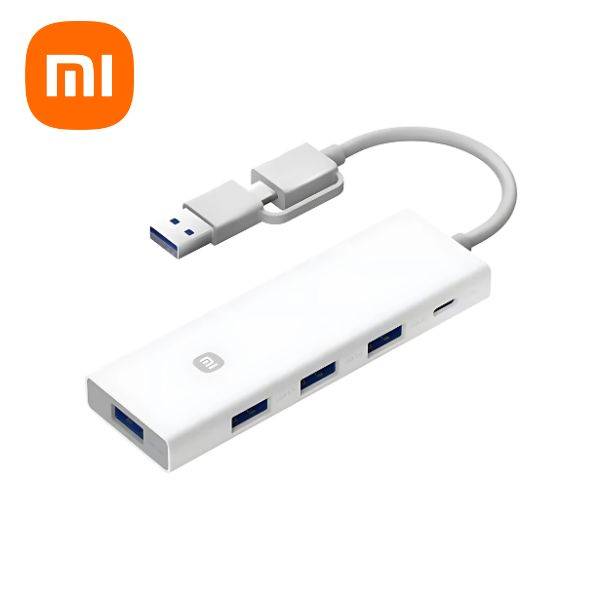
Xiaomi 4-in-1 Multifunctional USB-C Hub with Dual USB Ports (XMSTFXQ01YM)
৳2525
৳1249
51% OFF
Corporate & Bulk Orders
Need a custom quote? Contact our Sales Team on WhatsApp for exclusive pricing and quick responses.
WhatsApp UsCategory: Office and computer
The Xiaomi 4-in-1 Multifunctional USB-C Hub (XMSTFXQ01YM) bridges the gap between minimalist devices and essential peripherals, solving the frustration of limited ports on ultra-slim laptops. Its integration of USB-C and USB-A inputs, combined with 15W power delivery, makes it a versatile solution for users ranging from remote workers to gamers. The hub’s heat-resistant design ensures reliability during prolonged use, while its compact form factor maintains portability without compromising functionality.
Xiaomi 4-in-1 usb-c hub: Key takeaways
Dual Connectivity: Supports modern USB-C devices and legacy USB-A peripherals in one hub.
5 Gbps Transfer Speeds: Ideal for high-bandwidth tasks like 4K video editing or large dataset transfers.
15W Power Input: Enables reliable operation of power-intensive devices like external SSDs or mechanical keyboards.
Safety Protections: OCP and OVP safeguard against power fluctuations, critical for unstable power sources.
Ergonomic Build: 60g weight and 105mm length suit travel and desk setups alike.
What is the Xiaomi 4-in-1 Multifunctional USB-C Hub?
This hub acts as a central connection point for devices lacking sufficient ports. It consolidates multiple peripherals into a single interface, eliminating the need for multiple dongles. Its tinned pure copper cores reduce signal interference, a feature particularly beneficial for wireless peripherals like keyboards and mice. The ABS housing’s heat resistance ensures consistent performance even during extended data transfers or power-delivery tasks.
Key Features
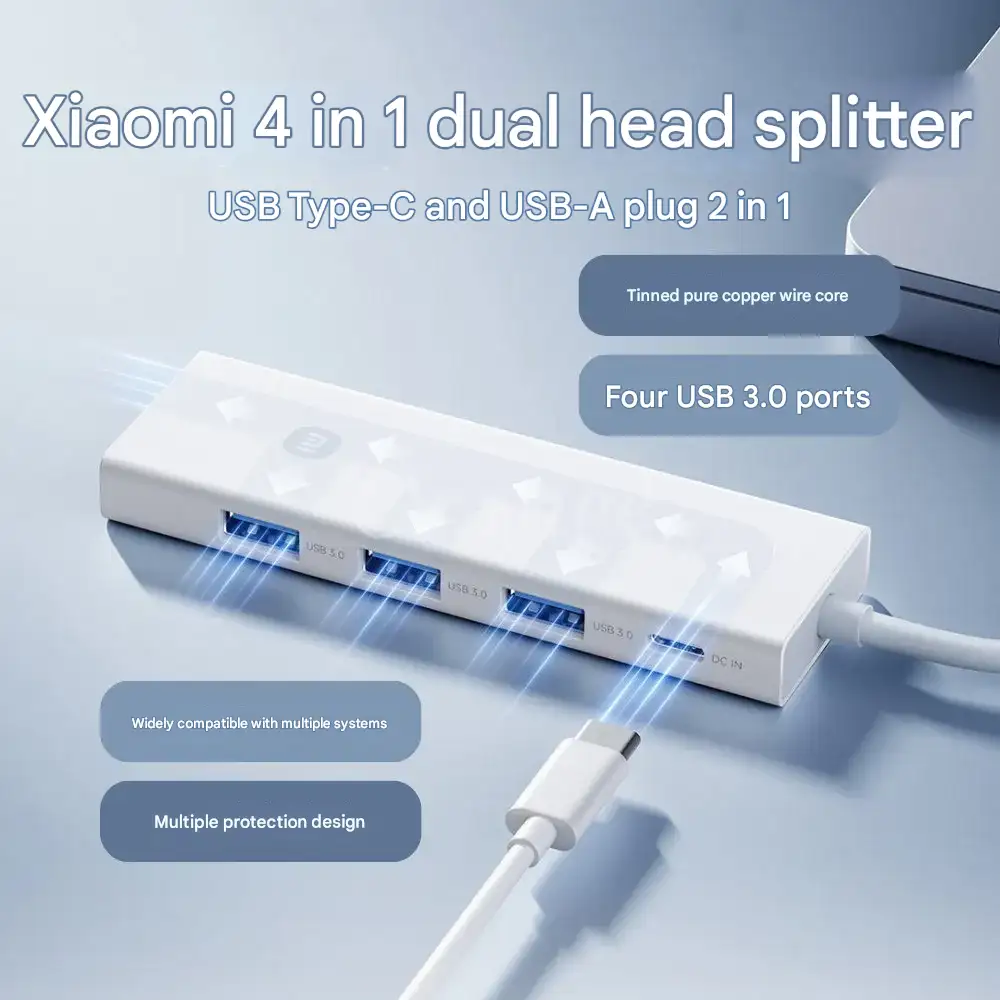
Dual-Input Versatility: Compatible with both legacy USB-A and modern USB-C devices, eliminating adapter requirements.
High-Speed Data Lanes: Four USB-A ports deliver 5 Gbps speeds, suitable for transferring 100GB files in under a minute.
15W Power Delivery: Supports charging or powering peripherals that draw up to 15W, such as external hard drives or RGB lighting controllers.
Robust Safety Features: OCP (Overcurrent Protection) and OVP (Overvoltage Protection) circuits prevent damage from electrical faults or spikes.
Durable Materials: Tinned copper enhances conductivity and longevity, while ABS housing resists warping under heat.
Technical Specifications
Material Breakdown: PC housing for lightweight strength, TPE for flexible cable entry, and tinned copper for superior conductivity.
Power Management: Inputs 15W via USB-C, distributing power to connected devices to prevent bottlenecks.
Compatibility: Works with macOS, Windows, and Chrome OS without driver installation.
Physical Dimensions: 105 x 33.5 x 11.5 mm, fitting into most laptop sleeves or travel organizers.
Why Adatun Customers Choose This Hub
Students and remote workers prioritize this hub for its ability to turn a laptop with a single USB-C port into a full workstation. The 60g weight makes it ideal for backpacks, while the 15W power support ensures external SSDs remain operational during long editing sessions. Professionals appreciate the safety features, which protect expensive equipment from power-related failures. Additionally, the tinned copper shielding reduces electromagnetic interference, crucial for maintaining connectivity with wireless mice or Bluetooth devices.
Gamers benefit from the hub’s dual-input design, allowing simultaneous connection of a USB-C monitor, a mechanical keyboard, and a USB-A controller. The 5 Gbps speeds ensure minimal lag when transferring game files or streaming content. Adatun’s technical team notes that the hub’s compatibility with PCIe NVMe SSDs makes it a preferred choice for users needing ultra-fast storage solutions.
How to Use Your Xiaomi Hub
To maximize performance, connect power-hungry devices like external GPUs or SSDs directly to the USB-C input. This prioritizes power allocation, preventing shutdowns during intensive tasks. For devices using USB-A ports, ensure cables are securely inserted to avoid disconnections. Regularly inspect the hub’s ports for dust accumulation, which could impair conductivity over time. Avoid exposing the hub to temperatures exceeding 60°C, as this may affect its heat-resistant ABS housing.
Use Case 3: Travel and Remote Work
Travelers rely on this hub to connect peripherals like a wireless mouse, external hard drive, and a charging dongle without carrying multiple adapters. Its plug-and-play functionality reduces setup time in unfamiliar workspaces. Remote workers benefit from the 15W power delivery, which keeps external monitors awake and monitors reduce lag during video conferences.
Use Case 4: Audio and Peripheral Management
Content creators can connect microphones,studio headphones, and multiple storage drives simultaneously. The hub’s 5 Gbps speed ensures audio files transfer without delay, maintaining high-quality output. The USB-A ports can accommodate a webcam and a USB-powered LED ring light for varied setups.
Buying Guidance
Choose this hub if you need both USB-C and USB-A ports, 15W power support, or advanced safety features. It outperforms hubs with only USB-A inputs by eliminating the need for separate adapters. Compared to competitors like the Anker PowerExpand, this model offers better heat resistance and material quality, though at a slightly higher price point. For budget-conscious buyers, consider whether the 15W power delivery is essential—those only needing data transfer may opt for cheaper alternatives. Always verify product compatibility with your device’s OS and port types before purchase.
Care and Maintenance
Maintain performance by gently inserting/removing cables to avoid strain on internal connections. Periodically test the hub with different peripherals to ensure consistent speed and power delivery. Store it in a dust-free environment to prevent debris from clogging ports. If the hub overheats during use, disconnect power-intensive devices temporarily, as sustained high temperatures can degrade the ABS housing over time.
What's Included
Xiaomi 4-in-1 Multifunctional USB-C Hub (XMSTFXQ01YM)
User manual with setup instructions and troubleshooting tips
- Full refund available
We accept returns for eligible items within 2 days from the date of delivery. To be eligible for a return, the item must be unused, in its original packaging, and in the same condition as when you received it. Items that are non-returnable include [list any specific non-returnable items such as perishable goods, intimate items, etc.]
At adatun.com, we are committed to protecting your privacy and ensuring the security of your personal information. This Privacy Policy outlines how we collect, use, disclose, and protect the information you provide to us. By using our website, you consent to the practices described herein.
- The Xiaomi 4-in-1 Multifunctional USB-C Hub is designed for broad cross-platform compatibility. It functions seamlessly with Windows, macOS, Linux, and Chrome OS without requiring specific drivers. The device uses standard USB interface protocols, ensuring that once you plug it into your computer's USB-A or USB-C port, the connected devices will be recognized automatically for immediate use.
- The Xiaomi 4-in-1 Multifunctional USB-C Hub is intended for data transfer and peripheral expansion rather than laptop charging. While it includes a USB-C DC power input, this feature is strictly for providing auxiliary power to the hub to support power-hungry peripherals like external mechanical hard drives. Attempting to draw power for laptop charging via this hub could result in damage to your computer or the device.
- The Xiaomi 4-in-1 Multifunctional USB-C Hub is a bus-powered device, drawing the necessary operational power directly from your computer's USB port. You do not need to connect it to an external power supply for basic data transfers involving flash drives, mice, or keyboards. The auxiliary Type-C DC input is optional and only recommended if you are using multiple high-draw peripherals simultaneously.
- The Xiaomi 4-in-1 Multifunctional USB-C Hub utilizes the USB 3.0 interface standard, which supports high-speed data transfer rates of up to 5 Gbps. This speed is sufficient for rapid file transfers, streaming video content, or managing large libraries of photos between your host device and connected storage drives. Please note that actual speeds may depend on the performance of the connected device and the host machine's port capabilities.
Related in this store
- laptop accessories— Complements hub with additional peripheral expansion options.
- USB-C charging cables— Provides necessary cabling for hub connectivity.
- external hard drives— Use case match: this hub supports power-hungry drives.
- laptop cooling stands— Ideal desk setup complement for hub users.
- portable power banks— Essential travel gear frequently purchased with hubs.
- mechanical keyboards— Peripheral expansion for desktop environments.
Sources
- Xiaomi Global Official Support— Official brand documentation for product support.
Reviewed by Adatun Product Team, Lead Merchandiser — reviewed by our category experts